Introducing Mailchimp Integration: Automatically Sync Newsletter Subscribers with WeblioHub
Growing an email list is one of the most valuable ways to build lasting relationships with your website visitors.
But collecting email addresses is only the beginning.
To run effective email marketing campaigns, businesses need a simple way to transfer subscribers from their websites to their email marketing platforms.
That’s why we’re introducing Mailchimp Integration for the WeblioHub Newsletter Widget!
You can now connect your WeblioHub newsletter form directly to your own Mailchimp audience using an API key, automatically synchronize new subscribers, and manage your email list more efficiently.
No manual exports. No repetitive imports. Just a connected newsletter workflow.
What Is WeblioHub’s Mailchimp Integration?
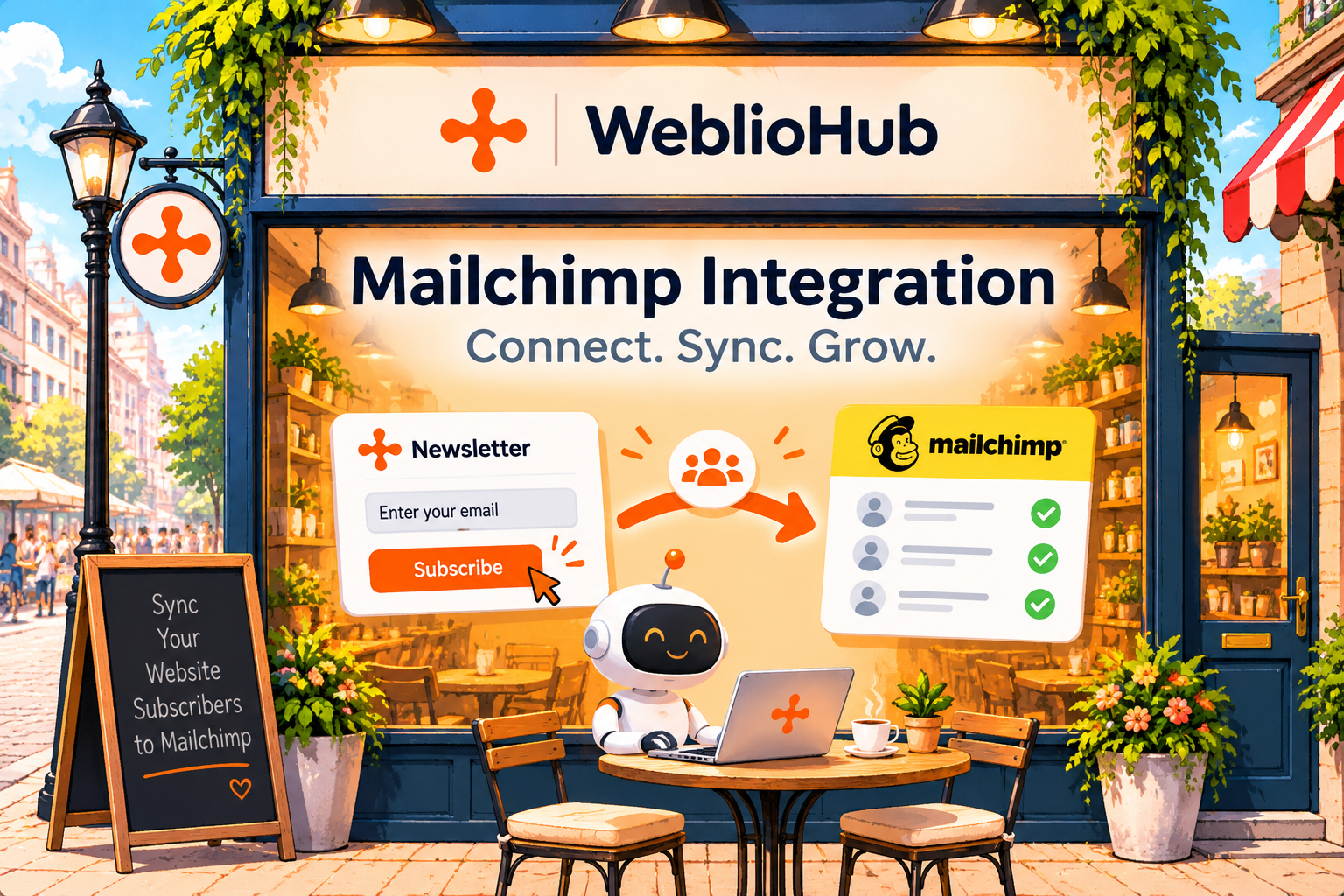
WeblioHub’s Mailchimp integration connects your website’s newsletter subscription widget to your Mailchimp audience.
When someone subscribes through your WeblioHub newsletter widget, their information is sent to your selected Mailchimp audience while remaining available in WeblioHub.
This means you can collect subscribers through your website and use Mailchimp for email marketing campaigns without manually transferring contacts between platforms.
How it works:
- A visitor enters their email address in your newsletter widget.
- WeblioHub processes the subscription.
- The subscriber is synchronized with your connected Mailchimp audience.
- You can manage your subscribers and email campaigns through Mailchimp.
If double opt-in is enabled, subscribers must confirm their email address before becoming fully subscribed in Mailchimp.
It’s a simple way to connect website lead collection with your email marketing strategy.
1. Connect Mailchimp Using Your API Key
Getting started with Mailchimp integration is straightforward.
WeblioHub allows you to connect your own Mailchimp account using an API key.
To configure the integration:
- Log in to your Mailchimp account.
- Navigate to Profile → Extras → API Keys.
- Create or copy your Mailchimp API key.
- Open your WeblioHub Newsletter Widget settings.
- Find the Mailchimp integration section.
- Enter your API key and select your Mailchimp audience.
- Save your settings.
Once connected, WeblioHub can synchronize newsletter subscribers with your selected audience.
For security, your API key is stored in encrypted form and isn’t displayed again after saving.
You can also replace your API key or refresh your available Mailchimp audiences when needed.
2. Automatically Sync New Newsletter Subscribers
Manually exporting email addresses and importing them into another platform takes unnecessary time.
With WeblioHub’s new integration, new newsletter subscriptions can be automatically sent to Mailchimp.
Every time someone signs up through your connected WeblioHub newsletter widget, their information is synchronized with your selected Mailchimp audience.
Your subscribers also remain in WeblioHub.
This gives you two useful capabilities:
- WeblioHub: Collect and manage newsletter subscribers through your website.
- Mailchimp: Organize your audience and create email marketing campaigns.
Instead of managing separate subscriber lists manually, your website and email marketing platform work together.
3. Send Your Existing Subscribers to Mailchimp
Already collecting newsletter subscribers through WeblioHub?
You don’t have to start from scratch.
The integration includes a Send Existing Subscribers option that allows you to transfer previously collected newsletter contacts to your connected Mailchimp audience.
This is especially useful for businesses that have been using the WeblioHub Newsletter Widget before enabling Mailchimp.
You can connect your account, select the appropriate audience, and initiate the transfer of your existing subscribers.
Make sure the contacts you transfer have the appropriate marketing consent.
4. Enable Double Opt-In for Better Email List Quality
Building an email list isn’t just about collecting more addresses. It’s also about collecting valid subscriptions from people who genuinely want to hear from your business.
WeblioHub supports Mailchimp’s Double Opt-in, also called confirmed sign-up.
When enabled:
- A visitor submits your newsletter form.
- Mailchimp sends a confirmation email.
- The visitor clicks the confirmation link.
- The visitor becomes a confirmed subscriber in your Mailchimp audience.
This additional verification step helps reduce accidental sign-ups and improves confidence that subscribers want to receive your emails.
WeblioHub also lets you customize the message displayed after someone submits the newsletter form.
For example:
“Almost there! Please check your inbox and confirm your subscription.”
Important: The confirmed sign-up setting applies to the entire selected Mailchimp audience, including Mailchimp’s own forms. Review your existing signup workflows before changing it.
5. Keep Your Subscriber Lists More Organized
Managing subscriptions across different platforms can become complicated.
WeblioHub’s integration helps keep newsletter records aligned with Mailchimp.
When someone unsubscribes through Mailchimp, they are also removed from the corresponding WeblioHub newsletter list.
This helps reduce inconsistencies between your email marketing audience and the subscribers maintained in WeblioHub.
It’s particularly useful for businesses that want to keep their email marketing workflows organized while respecting subscriber preferences.
Why Connect Your Newsletter Widget to Mailchimp?
Combining WeblioHub with Mailchimp provides several practical advantages.
| Benefit | How It Helps |
|---|---|
| Automatic subscriber sync | Reduces manual contact imports |
| API key integration | Connects your own Mailchimp account |
| Audience selection | Sends subscribers to your chosen list |
| Existing subscriber transfer | Helps migrate previously collected contacts |
| Double opt-in | Adds email confirmation to the signup process |
| Unsubscribe synchronization | Helps maintain consistent subscription records |
| Encrypted API key storage | Protects stored integration credentials |
Whether you’re running a business website, online store, or growing digital brand, connecting your newsletter form to an email marketing platform can make subscriber management more efficient.
Make Your Website Newsletter Work Smarter
Your newsletter widget should do more than collect email addresses.
It should help you build an organized audience and connect website subscriptions with your email marketing tools.
With the new WeblioHub Mailchimp Integration, you can collect subscribers, automatically sync them with Mailchimp, enable confirmed sign-ups, and transfer existing contacts.
All while continuing to manage your newsletter widget through WeblioHub.
Collect Subscribers. Sync Automatically. Grow Your Audience.
Ready to connect your newsletter widget to Mailchimp?
Get started at WeblioHub.
Smarter Websites. Stronger Businesses.