Setting visitors to your website is only the first step.
The bigger challenge is getting them to come back.
A visitor might discover your website through Google, browse a few pages, read an article or explore your products — and then leave.
Without a way to reconnect, that visitor may never return.
A mailing list widget provides a simple solution.
By adding an email subscription form directly to your website, you can give visitors an easy way to join your mailing list and stay connected with your business.
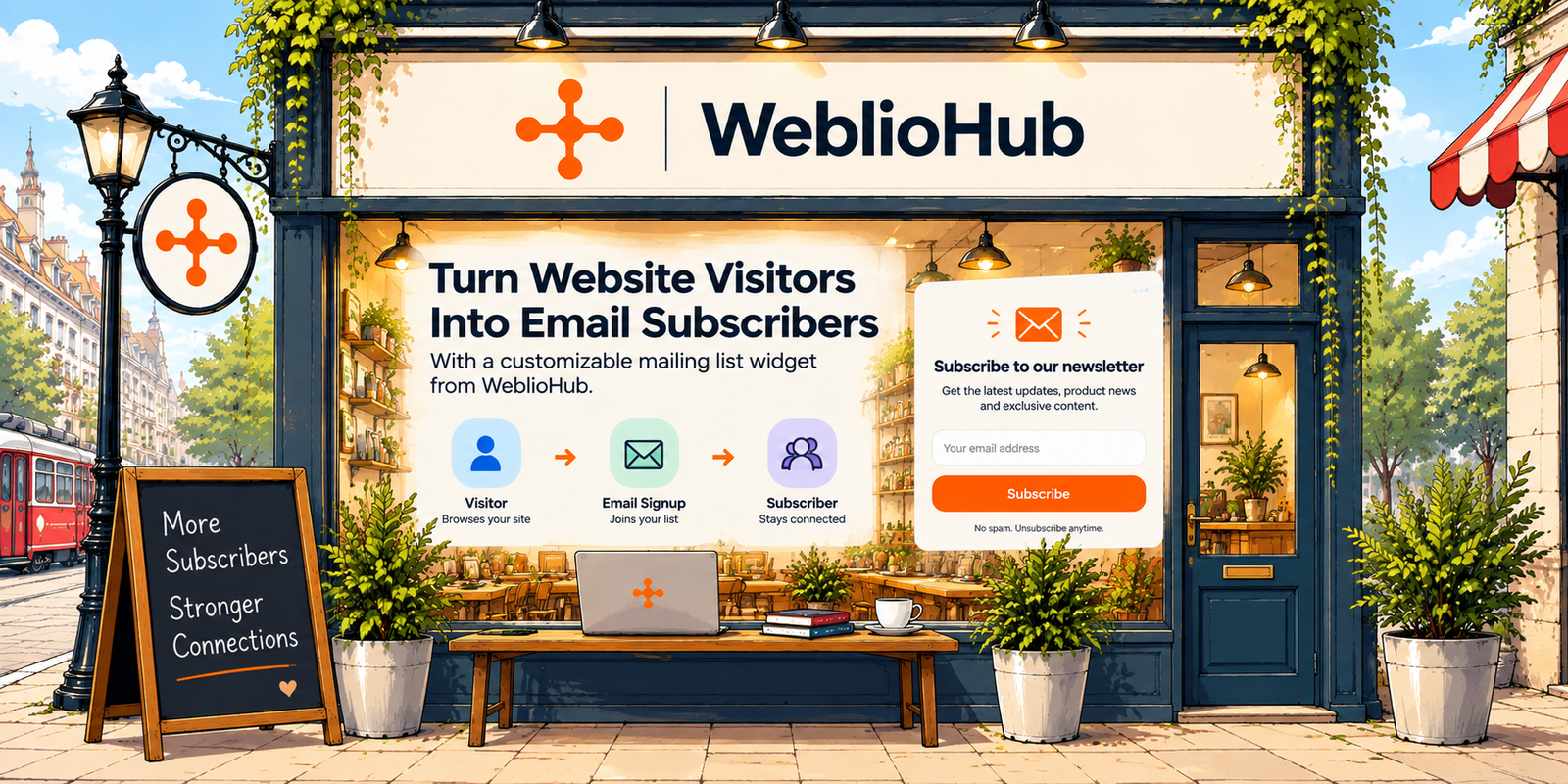
With WeblioHub, businesses can create customizable newsletter and mailing list widgets, embed them on their websites and manage collected subscribers from one place.
But why are mailing list widgets still important in 2026?
Let’s take a closer look.
What Is a Mailing List Widget?
A mailing list widget is a small subscription interface placed on a website that allows visitors to enter their email address and join a mailing list.
You’ve probably seen them many times:
“Subscribe to our newsletter”
“Get product updates”
“Join our mailing list”
“Get 10% off your first order”
“Be the first to know”
The concept is simple.
Website visitor → Signup form → Email subscriber
But this small interaction can become an important part of a website’s long-term marketing strategy.
Instead of relying entirely on visitors finding your website again, you create a direct communication channel with people who have chosen to hear from you.
Why Mailing Lists Still Matter in 2026
Businesses today have more communication channels than ever.
Instagram.
TikTok.
LinkedIn.
Google.
Telegram.
Paid advertising.
Search engines.
All of them can generate valuable traffic.
But they share one important characteristic:
You don’t fully control the platform.
Algorithms change.
Advertising costs change.
Organic reach changes.
Accounts and platforms evolve.
An email list is different.
When someone voluntarily subscribes to your mailing list, you’ve established a direct channel between your business and that subscriber.
You can use it for:
product announcements,
company updates,
new blog posts,
special offers,
new feature releases,
e-commerce campaigns,
event announcements,
and useful educational content.
Your website therefore becomes more than a destination.
It becomes a subscriber acquisition channel.
Website Traffic Is Temporary. Subscribers Can Be Long-Term.
Imagine your website receives 10,000 visitors.
If all 10,000 visitors leave without taking any action, the traffic may still generate awareness — but your ability to reconnect with those visitors is limited.
Now imagine a portion of them join your mailing list.
Those visitors have moved one step further in the relationship.
Instead of:
Visitor → Leaves
you create:
Visitor → Subscriber → Future communication → Potential customer
This is one reason mailing list widgets remain valuable even as websites adopt AI chatbots, messaging tools and other interactive features.
Not every visitor is ready to buy today.
A mailing list gives them a way to stay connected.
Where Should You Place a Mailing List Widget?
Placement can have a major impact on subscription performance.
There isn’t one universal location that works for every website.
A mailing list widget can appear in several places depending on your design and goals.
Homepage
The homepage is often one of the most visited pages, making it a natural place to introduce your newsletter.
Blog
Someone who has just finished reading a useful article is already engaged with your content.
A simple CTA such as:
“Enjoyed this article? Get new posts in your inbox.”
can be a natural next step.
Footer
A footer subscription form is unobtrusive and available across many pages.
It’s particularly useful as a permanent newsletter entry point.
Product or Collection Pages
E-commerce stores can use newsletter widgets to promote:
new arrivals,
product drops,
sales,
restocks,
or exclusive offers.
Dedicated Newsletter Page
Businesses with a strong content strategy can also create a dedicated subscription page explaining exactly what subscribers will receive.
The right placement depends on visitor intent, not simply visibility.
A Good Mailing List Widget Should Be Simple
One of the most common mistakes is asking for too much information.
Imagine a visitor sees this:
First name
Last name
Phone
Company
Job title
Country
Birthday
That’s a lot of friction for someone who simply wants to receive updates.
In many cases, a mailing list form can begin with one field:
Email address
You can collect additional information later when there is a clear reason to do so.
For newsletter acquisition, simplicity usually creates a cleaner experience.
Give Visitors a Reason to Subscribe
“Join our mailing list” explains what the button does.
It doesn’t necessarily explain why someone should click it.
Compare it with:
Get our latest e-commerce guides delivered to your inbox.
or:
Be the first to hear about new products and releases.
or:
Get WeblioHub product updates and automation tips.
These statements communicate value.
A good subscription widget answers the visitor’s implicit question:
What’s in it for me?
The answer should be visible before they submit their email.
Mailing List Widgets for E-Commerce
Mailing lists can be particularly valuable for online stores.
Not every customer purchases during their first visit.
A visitor may discover a product today but decide to buy weeks later.
An email subscription creates an opportunity to continue that relationship.
E-commerce businesses can use mailing lists for:
New product announcements
Restock notifications
Seasonal campaigns
Discounts
Product recommendations
New collection launches
Company news
Educational product content
This turns the mailing list widget into more than a form.
It becomes part of the customer acquisition funnel.
Mailing List Widget for Shopify Stores
The same principle applies to Shopify merchants.
A Shopify store can receive visitors from:
Google Shopping,
organic search,
Instagram,
TikTok,
paid advertisements,
direct traffic,
or referrals.
Some visitors purchase immediately.
Many don’t.
Capturing voluntary email subscriptions gives merchants another way to continue communicating with interested visitors.
For a growing Shopify store, the customer journey might look like:
Ad / Google / Social
↓
Shopify Store
↓
Product Discovery
↓
Mailing List Signup
↓
Email Campaign
↓
Return Visit
↓
Purchase
Email doesn’t replace other acquisition channels.
It helps extend their value.
Don’t Confuse a Mailing List Widget with a Contact Form
They may look similar, but they serve different purposes.
A contact form usually represents an immediate request:
“I need to speak with this business.”
A mailing list widget represents permission for future communication:
“I’d like to hear from this business again.”
This distinction matters when designing your website.
A visitor who doesn’t need customer support may still want product updates.
Someone who isn’t ready for a sales conversation may still want your newsletter.
Providing both options gives visitors different ways to engage.
Mailing List Widget + AI Chatbot
This becomes more interesting when a mailing list widget is combined with other website engagement tools.
For example, WeblioHub can provide an AI chatbot for customer interactions while a mailing list widget handles newsletter subscriptions.
Different visitors have different intentions.
One visitor might ask:
“Do you integrate with Shopify?”
The AI chatbot can help.
Another might want:
“Send me future WeblioHub updates.”
The mailing list handles that.
Another visitor might want to schedule a conversation.
A meeting-booking workflow can handle it.
The website can therefore support multiple engagement paths:
Ask a question → AI Chatbot
Stay updated → Mailing List
Contact the business → Contact Form
Schedule a conversation → Meeting Booking
Instead of forcing every visitor into the same funnel, you provide the interaction that matches their intent.
Build Mailing List Widgets with WeblioHub
WeblioHub is designed to make website engagement tools easier to manage from a centralized platform.
Businesses can use WeblioHub’s newsletter capabilities to create a subscription experience and collect subscriber information from their websites.
The objective is straightforward:
Create → Add to Website → Collect Subscribers → Build Your Audience
This can be useful for:
company websites,
SaaS products,
blogs,
online stores,
landing pages,
portfolio websites,
and other digital businesses that want to build an email audience.
Your Website Shouldn’t Depend Only on First Visits
This is the larger point.
Website owners often focus heavily on acquiring more traffic.
More SEO.
More ads.
More social posts.
More clicks.
But improving what happens after the visitor arrives can be equally important.
Suppose two websites receive the same traffic.
Website A
10,000 visitors
No subscription option
Most visitors leave
Website B
10,000 visitors
Clear mailing list widget
Some visitors become subscribers
Website B has created an additional asset from the same traffic.
That’s why email capture is fundamentally a conversion optimization problem, not simply an email marketing feature.
Mailing List Widget Best Practices
A successful mailing list widget doesn’t need to be complicated. Several principles matter most:
- Keep the form short. Ask only for information you actually need.
- Explain the benefit. Tell visitors what they will receive.
- Use a clear CTA. “Subscribe,” “Join the Newsletter,” or a more contextual CTA is better than vague wording.
- Make it mobile-friendly. The form should work comfortably on smaller screens.
- Don’t overwhelm the visitor. Subscription widgets should complement the browsing experience, not interrupt it unnecessarily.
- Set expectations. If you send weekly updates, product releases or occasional promotions, communicate that clearly.
- Respect consent and privacy. Newsletter subscriptions should be transparent about what users are signing up for.
The goal isn’t to trick someone into giving you an email address.
The goal is to make subscribing worthwhile.
Mailing List Growth Starts with Better Website Experiences
Building an email list isn’t only about sending campaigns.
It starts much earlier.
It begins at the moment someone visits your website.
A clear subscription widget gives interested visitors an easy way to say:
“I want to hear from you again.”
That’s a valuable interaction.
WeblioHub helps businesses bring tools such as Mailing List Widgets, AI Chatbots, Contact Forms, Cookie Consent and other website engagement features together in a more unified environment.
Instead of thinking only about website traffic, businesses can start thinking about relationships.
Visitor → Interaction → Subscriber → Relationship → Customer
And sometimes, that entire journey begins with a single email field.
FAQ
What is a mailing list widget?
A mailing list widget is a website component that allows visitors to submit their email address and subscribe to future emails, newsletters, product updates or other communications.
Can I add a mailing list widget to my website?
Yes. Mailing list widgets are designed to be integrated into websites so visitors can subscribe directly while browsing.
Where should I put a newsletter signup form?
Common locations include the homepage, footer, blog pages, landing pages and relevant e-commerce pages. The best location depends on the visitor journey and the type of content you provide.
What information should a mailing list widget collect?
For many newsletters, an email address is sufficient. Additional fields should only be added when they provide a clear benefit because longer forms can create unnecessary friction.
Is a mailing list widget useful for Shopify stores?
Yes. Shopify merchants can use newsletter signup experiences to maintain communication with visitors interested in new products, promotions, restocks and store updates.
Can WeblioHub be used for mailing list widgets?
Yes. WeblioHub’s newsletter functionality can be used as part of a website’s subscriber acquisition and communication workflow alongside other WeblioHub engagement tools.