Customer communication is evolving rapidly.
Today, customers expect businesses to be available across multiple communication channels. They want quick answers, convenient conversations, and reliable support without switching between different platforms.
For millions of businesses worldwide, WhatsApp has become an essential communication channel.
But as customer conversations increase, manually responding to every WhatsApp message can become challenging.
What if your business could automatically respond to WhatsApp messages using an AI chatbot trained specifically on your products, services, and business information?
Introducing WhatsApp Business Integration with WeblioHub.
With WeblioHub, businesses can connect their WhatsApp Business account through their own Meta application, receive customer messages in a centralized dashboard, and automatically respond using a trained AI assistant.
No more repetitive answers. No more constantly switching between messaging platforms.
Just smarter customer conversations powered by artificial intelligence.
What Is a WhatsApp AI Chatbot?
A WhatsApp AI chatbot is an artificial intelligence-powered assistant that automatically responds to customer messages received through WhatsApp.
Unlike traditional rule-based chatbots that depend on predefined commands and fixed responses, an AI chatbot can interpret natural language and generate relevant answers based on its available knowledge.
For example, a customer might ask:
“Do you offer international shipping?”
Another customer might write:
“Can you tell me more about your subscription plans?”
Instead of waiting for a team member to respond, an AI chatbot can use the business information it has been trained on to generate an appropriate answer.
This allows businesses to provide automated assistance while reducing the workload associated with repetitive customer inquiries.
With WeblioHub, this functionality is now available through WhatsApp Business integration.
Introducing WeblioHub WhatsApp Business Integration
WeblioHub brings AI-powered customer communication directly to WhatsApp Business.
The integration allows businesses to connect their WhatsApp Business number using their own Meta application and manage incoming conversations through WeblioHub.
Once connected, businesses can use their existing AI chatbot configuration to automatically respond to customer inquiries.
The workflow is straightforward:
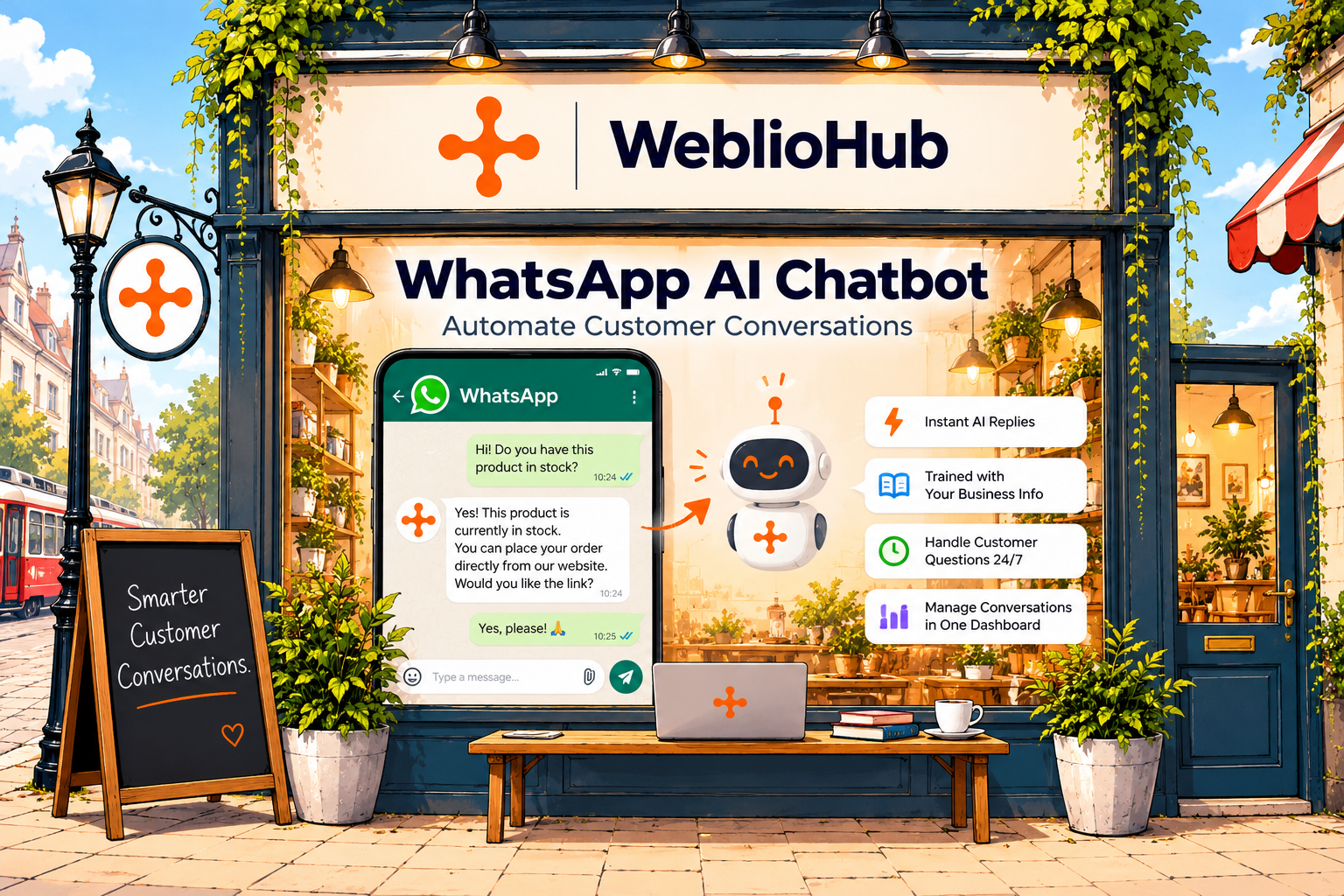
Customer Sends a WhatsApp Message → WeblioHub Receives the Message → AI Processes the Request → Customer Receives an Automated Response
Incoming messages can also be managed through the WeblioHub Messages dashboard.
This creates a unified environment for handling customer conversations and automating frequently asked questions.
Key Capabilities
WeblioHub WhatsApp Business Integration provides:
- WhatsApp Business connectivity through your own Meta application.
- AI-powered automated responses to incoming messages.
- Responses based on your configured AI training and business knowledge.
- Centralized conversation management through the WeblioHub dashboard.
- Support for manual customer communication.
- Secure configuration of Meta API credentials.
- Integration with WeblioHub’s broader customer engagement ecosystem.
Instead of operating a separate WhatsApp chatbot system, businesses can manage WhatsApp communication alongside their other WeblioHub tools.
1. Connect WhatsApp Business Using Your Own Meta App
One of the key features of WeblioHub’s WhatsApp integration is the ability to connect your own Meta application.
Rather than requiring a separate WeblioHub approval process, businesses configure their WhatsApp Business integration using credentials obtained through Meta for Developers.
This gives businesses direct control over their WhatsApp Business API configuration.
What Do You Need?
To connect WhatsApp Business with WeblioHub, you need the following information:
WhatsApp Business Account ID
The unique identifier associated with your WhatsApp Business account.
Phone Number ID
The identifier assigned to your WhatsApp Business phone number within Meta.
Permanent Access Token
A System User access token with the required WhatsApp permissions.
App Secret
The secret associated with your Meta application, used to validate incoming webhook requests.
These credentials are entered into the WhatsApp Business integration section of your WeblioHub dashboard.
WeblioHub stores the token and app secret in encrypted form.
Once the connection is configured, you can complete the webhook setup to enable incoming WhatsApp message delivery.
How to Connect WhatsApp Business to WeblioHub
Step 1: Create Your Meta Application
Open Meta for Developers and create an application with the WhatsApp use case.
Select the option for connecting with customers through WhatsApp.
Step 2: Configure WhatsApp
Open the WhatsApp setup section and access the API configuration.
You can initially use Meta’s test environment to verify the integration.
Step 3: Copy Your Account Identifiers
Locate your WhatsApp Business Account ID and Phone Number ID.
These values identify the account and phone number used by your integration.
Step 4: Generate a System User Access Token
In Meta Business Settings, configure a System User with the appropriate application and WhatsApp account access.
Generate an access token with the required permissions:
whatsapp_business_messagingwhatsapp_business_management
For production usage, configure a suitable long-lived System User token rather than relying on a temporary test token.
Step 5: Copy Your App Secret
Open your Meta application’s basic settings and copy the App Secret.
Step 6: Connect Your Account in WeblioHub
Navigate to the WhatsApp Business integration section in WeblioHub.
Enter your credentials and select Connect WhatsApp.
Step 7: Configure the Webhook
Complete the webhook configuration using the information provided by WeblioHub.
The webhook allows Meta to deliver incoming WhatsApp messages to your connected integration.
After completing the required configuration and testing, your WhatsApp Business account can receive messages through WeblioHub.
Note: Meta’s account eligibility, business verification, messaging policies, and production requirements still apply. Configuration time may vary depending on the status of your Meta account.
2. Automatically Respond to WhatsApp Messages with AI
Connecting WhatsApp is only the beginning.
The real advantage comes from combining WhatsApp Business messaging with WeblioHub’s AI chatbot capabilities.
When a customer sends a WhatsApp message, WeblioHub can use your trained AI assistant to generate an automated response.
The AI processes the incoming message and uses the business knowledge available in its configuration to formulate an answer.
Example: E-Commerce Customer Support
Imagine a customer sends the following WhatsApp message:
Customer:
“Hi! How long does delivery usually take?”
AI Assistant:
“Hello! Our standard delivery time is 2–4 business days. Delivery times may vary depending on your location. Is there anything else I can help you with?”
The response is generated using the shipping information configured in the AI assistant.
Example: SaaS Customer Support
Customer:
“Does your platform support Shopify?”
AI Assistant:
“Yes! Our platform supports Shopify integration. You can connect your store and access supported tools for customer engagement and website management.”
Example: Service Business
Customer:
“What services does your company provide?”
AI Assistant:
“We provide website development, e-commerce solutions, and digital consulting services. Would you like more information about a specific service?”
These examples illustrate how businesses can automate common customer questions using information supplied to their AI assistant.
The more accurate and relevant your AI training information is, the more useful your automated responses can become.
3. Train Your WhatsApp AI Chatbot with Business Knowledge
Every business is different.
An e-commerce company needs an assistant that understands its products, shipping policies, and customer questions.
A SaaS business needs an assistant familiar with its features, pricing, and technical documentation.
A service provider needs an assistant that can explain its services and answer potential customer inquiries.
WeblioHub allows businesses to configure AI chatbot knowledge based on their own information.
This knowledge can then support automated WhatsApp conversations.
What Information Can You Use?
Depending on your AI training configuration, relevant information may include:
Product Information
Help customers understand available products, features, and specifications.
Frequently Asked Questions
Provide answers to common inquiries without requiring manual intervention.
Business Information
Explain your services, business operations, and general policies.
Pricing and Plans
Answer questions about subscription options and service packages using your configured information.
Shipping and Return Policies
Help customers find information about delivery and returns.
Support Documentation
Provide guidance based on available help articles and product documentation.
By using business-specific knowledge, the chatbot can generate more relevant answers than a generic assistant without access to your company’s information.
This is particularly valuable for businesses that receive similar questions repeatedly.
4. Manage WhatsApp Conversations from One Dashboard
Customer communication becomes difficult when conversations are scattered across multiple applications.
Businesses may receive messages through their websites, WhatsApp, Telegram, and other communication channels.
Switching between these platforms can reduce productivity and make it harder to manage customer interactions.
WeblioHub helps simplify this process by bringing supported messaging channels into its Messages dashboard.
With the WhatsApp Business integration, incoming WhatsApp conversations can be accessed through WeblioHub.
This allows businesses to manage customer communication within their existing workspace.
AI Automation and Human Support
Not every customer conversation should be handled entirely by AI.
Some questions require additional investigation.
Others may involve sensitive issues, unusual requests, or situations where a team member should respond personally.
WeblioHub supports both AI-powered responses and manual messaging workflows.
This provides businesses with the flexibility to use automation for common inquiries while retaining human involvement when necessary.
For example:
A customer asks about opening hours.
The AI responds automatically.
Another customer reports a complicated billing issue.
A team member can review the conversation and provide personalized assistance.
AI handles repetitive questions. Your team handles conversations that need human attention.
5. Provide Customer Support Beyond Business Hours
Customers don’t always contact businesses during office hours.
Someone might ask about a product late at night.
Another customer might need information during the weekend.
For businesses serving international customers, inquiries can arrive across multiple time zones.
An AI-powered WhatsApp chatbot can help provide automated responses outside regular business hours.
When configured and operating correctly, the assistant can respond to supported inquiries without requiring a team member to be online.
This can be particularly useful for:
- International e-commerce stores.
- SaaS businesses with global customers.
- Online service providers.
- Digital agencies.
- Businesses receiving frequent customer inquiries.
However, AI automation should not be considered a complete replacement for human support.
Complex issues, account-specific requests, and sensitive customer matters may still require manual assistance.
The objective is to make customer support more accessible and efficient.
6. Reduce Repetitive Customer Support Work
Many customer support teams spend a significant amount of time answering the same questions.
Common examples include:
“How much does it cost?”
“Do you offer refunds?”
“Where can I find your pricing?”
“What are your working hours?”
“How can I contact support?”
Although these questions are important, manually answering them repeatedly can consume valuable time.
A trained WhatsApp AI chatbot can automate many of these interactions.
This allows employees to focus on more complex customer needs.
For growing businesses, reducing repetitive support work can help improve operational efficiency without requiring every inquiry to be handled manually.
7. WhatsApp AI Chatbot vs. Traditional WhatsApp Auto-Reply
Traditional WhatsApp auto-reply systems generally use predefined messages or simple automation rules.
For example:
A customer sends a message.
The system responds:
“Thank you for contacting us. We will reply shortly.”
While useful, this approach offers limited interaction.
An AI chatbot provides a more conversational experience.
| Feature | Traditional Auto-Reply | WeblioHub WhatsApp AI |
|---|---|---|
| Automatic responses | Yes | Yes |
| Natural language understanding | Limited | AI-powered |
| Business-specific knowledge | Usually limited | Configurable AI training |
| Contextual answers | Limited | Supported through AI |
| Multiple question types | Rule-dependent | Flexible natural language |
| Manual conversation management | Platform-dependent | WeblioHub Messages |
| WhatsApp Business API integration | Depends on solution | Yes |
| Centralized WeblioHub management | No | Yes |
8. Why Use Your Own Meta App for WhatsApp Integration?
WeblioHub’s integration uses a Bring Your Own Meta App approach.
This means businesses configure the integration through their own Meta application.
There are several practical advantages to this model.
Direct Account Configuration
Businesses use their own WhatsApp Business account and application credentials.
Greater Configuration Control
The Meta application remains associated with the business’s own developer and business environment.
Transparent Integration Process
The required account identifiers, access token, app secret, and webhook configuration are managed through a defined setup process.
No Separate WeblioHub Approval Requirement
Businesses do not need a separate approval from WeblioHub to begin configuring the integration.
However, Meta’s own requirements, reviews, and restrictions may still apply.
Existing AI Ecosystem
Once connected, WhatsApp messaging can operate alongside the business’s existing WeblioHub AI chatbot configuration.
This makes the integration suitable for companies that want more direct control over their messaging infrastructure.
9. WhatsApp Business API and Messaging Requirements
WhatsApp Business messaging operates under Meta’s platform rules.
Businesses should understand several important requirements before enabling automation.
Business-Initiated Messaging
Sending messages outside an active customer service window may require approved message templates.
Customer Service Window
Free-form responses are generally permitted within the applicable customer service window after a customer messages the business.
Customer Consent
Businesses must follow applicable opt-in requirements and messaging policies.
Meta Platform Charges
WhatsApp Business Platform charges may apply depending on the message category, country, and current Meta pricing rules.
Account Eligibility
Production usage may require additional account configuration or business verification.
Data Privacy
Businesses should handle customer messages and personal information according to applicable privacy laws and their own data protection obligations.
WeblioHub provides the integration and AI messaging functionality, while the underlying WhatsApp Business Platform remains subject to Meta’s requirements.
10. Combine WhatsApp AI with WeblioHub’s Other Features
WhatsApp Business integration expands WeblioHub’s customer engagement capabilities.
Businesses can use multiple WeblioHub tools to support different stages of the customer journey.
AI Website Chatbot
Provide automated assistance to visitors directly on your website.
WhatsApp Business AI Chatbot
Respond to incoming WhatsApp messages using trained AI.
Telegram AI Chatbot
Connect Telegram bots and manage supported customer conversations through WeblioHub.
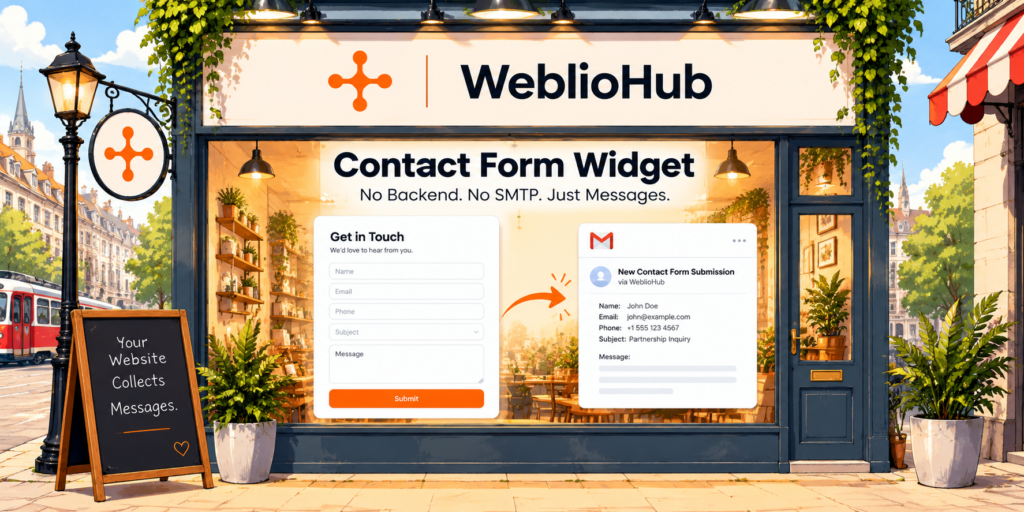
Contact Form Widget
Collect website inquiries and automatically deliver submissions to a configured email address.
AI Meeting Scheduling
Allow website visitors to book meetings through supported chatbot workflows.
AI Conversation Summaries & Tasks
Summarize supported conversations and organize follow-up activities through task management features.
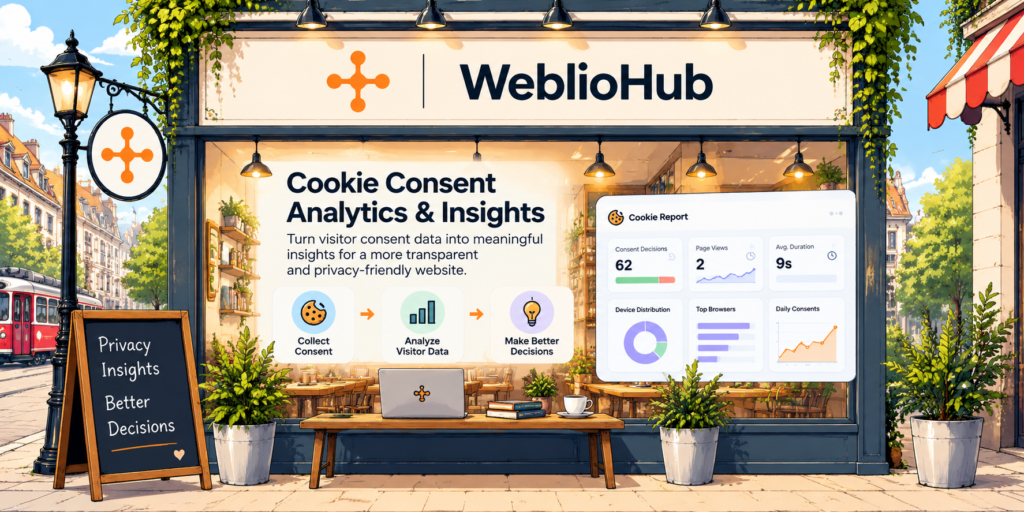
Cookie Consent & Analytics
Manage cookie consent experiences and access supported visitor analytics.
Together, these tools help businesses manage website engagement and customer communication through a more centralized platform.
Who Can Benefit from a WhatsApp AI Chatbot?
E-Commerce Businesses
Answer common questions about products, shipping, returns, and store policies.
SaaS Companies
Provide information about software features, subscriptions, and technical documentation.
Digital Agencies
Respond to prospective clients asking about services and project requirements.
Service Providers
Automate frequently asked questions about services, pricing, and availability.
Small Businesses
Provide automated responses without requiring someone to monitor WhatsApp conversations continuously.
International Businesses
Support customers across different time zones with AI-generated responses based on available business information.
The benefits depend on how accurately the AI is configured and how well the automation matches customer needs.
How to Get Started with WeblioHub WhatsApp AI Chatbot
Getting started involves connecting your WhatsApp Business account and configuring your AI assistant.
1. Create or Access Your WeblioHub Account
Open your WeblioHub dashboard.
2. Configure Your AI Assistant
Add the relevant business knowledge that the assistant should use when responding to customers.
3. Open WhatsApp Business Integration
Navigate to the WhatsApp Business integration settings.
4. Configure Your Meta Application
Create or configure your application through Meta for Developers.
5. Enter Your WhatsApp Credentials
Provide your WhatsApp Business Account ID, Phone Number ID, access token, and App Secret.
6. Complete Webhook Configuration
Follow the WeblioHub setup instructions to connect incoming WhatsApp messages.
7. Test Your Integration
Send a test message and confirm that it appears in WeblioHub.
8. Enable AI Responses
Configure the AI auto-reply functionality for your connected conversations.
9. Start Managing Customer Messages
Use WeblioHub Messages to monitor incoming inquiries and provide manual responses when needed.
Before relying on the integration for production customer support, verify message delivery, AI response quality, and compliance with applicable WhatsApp messaging policies.
The Future of WhatsApp Customer Support Is AI-Powered
Customer expectations are changing.
Businesses are increasingly expected to provide fast, relevant, and convenient communication across multiple channels.
WhatsApp offers a familiar messaging environment, while artificial intelligence can help automate repetitive customer interactions.
Combining these technologies creates new opportunities for customer support.
With WeblioHub WhatsApp Business Integration, businesses can connect their own Meta application, train an AI assistant with business-specific knowledge, and manage WhatsApp conversations through a centralized dashboard.
The result is a more flexible customer communication workflow that combines automation with human support.
Your WhatsApp Business. Your AI Assistant. One WeblioHub Dashboard.
Make customer conversations smarter with WeblioHub.
Smarter Websites. Stronger Businesses.
Frequently Asked Questions
What is a WhatsApp AI chatbot?
A WhatsApp AI chatbot is an automated assistant that uses artificial intelligence to understand and respond to customer messages received through WhatsApp.
Can I connect WhatsApp Business to WeblioHub?
Yes. WeblioHub supports WhatsApp Business integration using credentials from your own Meta application.
Can WeblioHub automatically respond to WhatsApp messages?
Yes. WeblioHub can use a configured AI assistant to generate automated responses to incoming WhatsApp Business messages.
Can I train the WhatsApp chatbot with my business information?
Yes. WeblioHub’s AI chatbot configuration allows businesses to provide relevant knowledge that can be used when generating responses.
Do I need a Meta Developer account?
You need access to the appropriate Meta developer and business configuration to create an application and obtain the required WhatsApp Business API credentials.
What information is required to connect WhatsApp?
The integration requires a WhatsApp Business Account ID, Phone Number ID, access token, and Meta App Secret.
Can I use a temporary WhatsApp API token?
Temporary tokens can be useful for initial testing, but they expire. Production integrations should use an appropriately configured System User access token.
Can I manage WhatsApp messages manually?
Yes. WeblioHub supports managing incoming WhatsApp conversations through its Messages dashboard, including manual communication.
Does WhatsApp AI work outside business hours?
AI-powered automated responses can operate outside business hours when the integration is active and the messages comply with applicable WhatsApp Business Platform rules.
Is WhatsApp Business API free?
Meta may apply WhatsApp Business Platform charges based on its current pricing structure. WeblioHub subscription charges, if applicable, are separate from Meta’s platform charges.
Can I use WhatsApp AI for customer support?
Yes. A trained WhatsApp AI chatbot can help answer common questions about products, services, policies, and other business information.
What is the difference between WhatsApp auto-reply and an AI chatbot?
Traditional auto-replies typically send predefined messages. An AI chatbot can interpret natural language and generate contextual responses using configured business knowledge.
Can I use WhatsApp and Telegram with WeblioHub?
Yes. WeblioHub supports both WhatsApp Business integration and Telegram chatbot integration, allowing businesses to manage supported messaging workflows through the platform.