
Most websites treat cookie consent as a simple question:
Accept or reject?
A visitor opens a website, sees a cookie banner, makes a decision and continues browsing.
But for website owners, that decision can be the beginning of something much more useful.
How many visitors accept cookies?
How many reject them?
Which consent categories are enabled?
Are visitors primarily using desktop or mobile devices?
Which browsers and operating systems are most common?
Where does your traffic come from?
How do consenting visitors interact with your website?
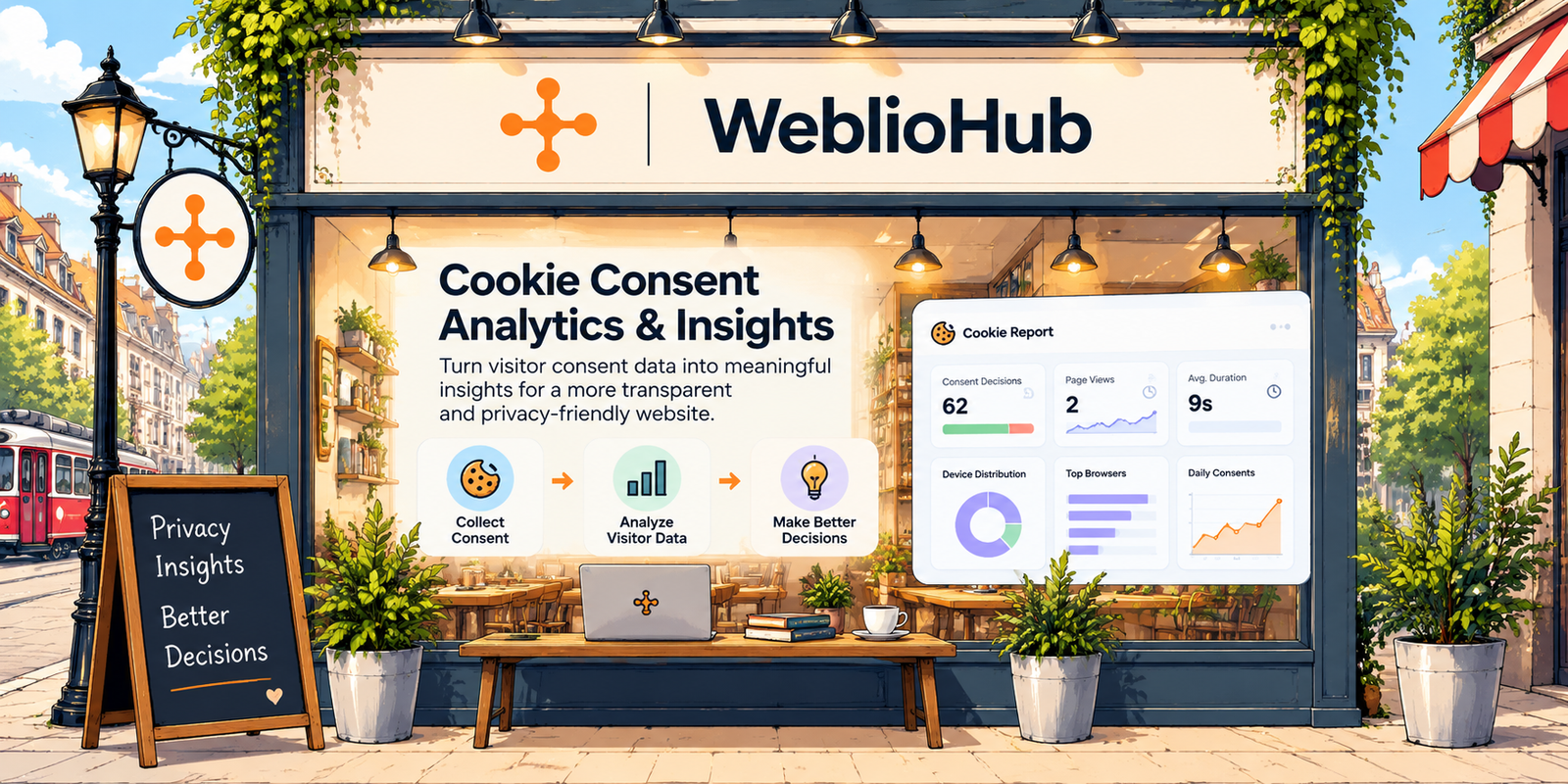
WeblioHub Cookie Consent combines consent management with reporting and visitor analytics, giving website owners a clearer view of both privacy decisions and website behavior.
Instead of treating a cookie banner as an isolated compliance component, WeblioHub turns it into part of a broader privacy and analytics workflow.
Cookie Consent Is More Than an “Accept All” Button
When businesses think about cookie consent, they often focus almost entirely on the banner.
But the banner is only the interface.
Behind it, there are several important questions.
What did the visitor choose?
When was that decision made?
Which consent categories were enabled?
Which version of the consent configuration was involved?
What type of device was being used?
Where did the visitor come from?
A modern consent management system should make these decisions understandable and manageable.
This is why WeblioHub includes a dedicated Cookie Report dashboard.
1. Understand Your Consent Decisions
The first metric in WeblioHub Cookie Report provides a simple overview of visitor decisions.
Instead of showing only how many times the cookie widget appeared, you can see the actual consent outcomes.
For example:
Total Consent Decisions: 62
54 accepted
8 rejected
0 custom selections
This immediately provides a much more meaningful picture of how visitors interact with your consent experience.
You can begin asking questions such as:
Why are visitors rejecting cookies?
Is the consent banner clear enough?
Are users comfortable with the way consent choices are presented?
Does changing the banner design affect the acceptance rate?
Consent becomes measurable rather than invisible.
2. See Individual Consent Records
Aggregate numbers are useful, but WeblioHub also provides detailed consent records.
The Consents section creates a structured history of consent decisions.
Depending on the available record, the report can include information such as:
Date
Consent configuration version
Action
Masked IP
Country
Device
Browser
Language
Consent categories
Referrer
For example, a record might indicate that a visitor arrived from Google using Chrome on a desktop device, used an English-language environment and selected “Accept All.”
The purpose isn’t simply collecting another analytics event.
It is creating a structured record of the consent interaction.
3. Track Consent Configuration Versions
One particularly useful part of the WeblioHub reporting structure is the Version field.
Cookie policies and consent configurations don’t remain static forever.
A business may:
add a new analytics service,
change its marketing tools,
update its cookie categories,
modify its privacy configuration,
or introduce new website functionality.
Keeping the configuration version alongside the consent record can make historical records significantly easier to interpret.
Instead of only knowing that:
“A visitor accepted cookies.”
you can associate the decision with the relevant consent configuration version recorded by the system.
That creates better context around historical consent decisions.
4. Understand Which Cookie Categories Visitors Choose
Not every cookie has the same purpose.
WeblioHub can distinguish between different consent categories, including categories such as:
Essential
Analytics
Marketing
Functional
This is important because modern consent management shouldn’t treat every technology as one undifferentiated switch.
Essential functionality may need to remain active for the website to operate, while optional categories depend on the visitor’s preferences and your implementation.
The Cookie Report gives businesses a clearer view of those category-level choices.
That means you aren’t only measuring:
“Did they accept?”
You can also understand:
“What did they consent to?”
5. Understand Your Device Distribution
Privacy reporting can also reveal useful technical patterns.
WeblioHub’s Devices & Tech dashboard shows the distribution of devices visitors use.
For example, your audience may be:
89% desktop
11% mobile
For another website, those percentages could be completely different.
This information can influence practical decisions.
If the majority of your visitors use mobile devices, your cookie consent experience needs to work particularly well on small screens.
Buttons must remain accessible.
Consent options need to be readable.
The banner shouldn’t obstruct the entire experience.
And preference controls should remain easy to use.
Consent analytics can therefore provide information that also helps improve UX.
6. Discover Which Browsers Your Visitors Use
The dashboard also includes Top Browsers.
This can show distributions across browsers such as:
Chrome
Safari
and other browsers represented in your visitor data.
Why does that matter?
Cookie behavior, privacy features and tracking restrictions can vary between browsers.
Knowing your audience’s browser distribution gives your development team useful context when testing the consent experience.
Instead of testing only in your preferred browser, you can prioritize the environments your actual visitors use.
7. Understand Operating System Distribution
WeblioHub also reports operating-system distribution.
Depending on your visitors, this might include:
Linux
macOS
Windows
and unknown or unidentified environments.
On its own, this might look like a simple technical metric.
Combined with browser and device information, however, it gives you a clearer picture of the environments in which your website and cookie consent interface are being used.
That information can be useful for:
cross-platform testing,
responsive design,
browser compatibility,
and troubleshooting unusual behavior.
8. Learn Which Languages Your Audience Uses
WeblioHub Cookie Report includes Language Distribution as well.
For a global website, this can become particularly useful.
You might discover that your visitors primarily use English, while another significant portion uses Turkish.
That raises an important UX question:
Should your cookie consent experience support multiple languages?
A consent experience is only useful when visitors can understand the choices being presented.
Language analytics can therefore help businesses identify where localization may improve the consent experience.
9. Understand Where Visitors Come From
The Top Referrers section provides another useful dimension.
Your visitors may arrive from sources such as:
Google,
your own website,
other websites,
mobile applications,
or direct/unknown sources.
This helps connect consent data with acquisition context.
For example, if a large percentage of new visitors arrive from search engines, their first interaction with your brand may include your cookie consent interface.
That means the banner isn’t merely a technical requirement.
It’s part of the first impression of your website.
A confusing, aggressive or poorly designed consent experience can therefore become a UX problem.
10. Go Beyond Consent with Website Behavior Analytics
This is where WeblioHub’s implementation becomes more interesting.
The Cookie Report doesn’t stop at consent decisions.
For analytics data collected where applicable based on the configured consent setup, WeblioHub can provide website engagement metrics such as:
Page Views
Sessions
Average Session Duration
Average Scroll Depth
Total Clicks
These metrics help businesses move from:
“Did visitors consent?”
to:
“How are visitors interacting with the website?”
11. Measure Page Views
Page views are one of the foundations of website analytics.
WeblioHub can show page-view activity and visualize it over time through the Daily Page Views report.
This helps you identify changes in traffic and compare activity across different periods.
The Top Pages report adds another layer by showing which pages receive the most attention.
Instead of seeing traffic only as a single total number, you can begin understanding where that activity actually happens.
12. Analyze Session Duration
Traffic volume doesn’t tell the entire story.
A visitor opening a page and leaving immediately is different from someone spending several minutes exploring your content.
That’s why WeblioHub also provides Average Session Duration.
This metric can help answer questions such as:
Are visitors actually spending time with the content?
Do certain pages hold attention longer?
Are people leaving quickly after landing?
Combined with other engagement metrics, session duration provides more context than page views alone.
13. Measure Scroll Depth
A page view tells you that somebody opened a page.
It doesn’t tell you how much of that page they actually consumed.
That’s where Average Scroll Depth becomes valuable.
For content-heavy websites, blogs and landing pages, scroll depth can provide useful insight into how far visitors progress through a page.
If users consistently leave before reaching important content, you may need to reconsider:
content structure,
page length,
CTA placement,
layout,
or the information hierarchy.
WeblioHub makes scroll behavior part of the same reporting environment.
14. Understand Click Activity
WeblioHub Cookie Report can also track click interactions within the relevant analytics context.
The dashboard provides metrics such as:
Total Clicks
and:
Clicks Per Session
This helps businesses understand whether visitors are actively interacting with the website rather than merely viewing pages.
When combined with scroll depth and session duration, clicks provide another signal of engagement.
15. See Pages Per Session
Another available engagement metric is Pages Per Session.
This can help determine whether visitors tend to remain on a single page or continue exploring the website.
Consider two visitors.
Visitor A:
1 page → 5 seconds → leaves
Visitor B:
4 pages → several minutes → multiple interactions
Both technically visited your website.
But their behavior was completely different.
This is why combining multiple engagement metrics creates a more useful picture than relying on page views alone.
16. Analyze Screen Resolutions
One of the more technical reports available in WeblioHub is Screen Resolutions.
The dashboard can show resolutions such as:
1920×1080
2560×1440
1440×900
390×844
360×800
and others detected in the dataset.
This can be surprisingly valuable for frontend development.
Instead of designing only around generic labels such as “desktop” and “mobile,” your team can see the actual screen environments appearing in your visitor data.
That can help prioritize responsive testing and improve both the website and cookie consent UI.
17. Understand Theme Preference
WeblioHub can also surface Theme Preference information when available.
For example:
Light
or:
Dark
This is a small metric, but it demonstrates a broader idea.
Website analytics doesn’t always need to be limited to traffic counts.
Technical and experience-level information can help businesses understand how visitors interact with their digital environment.
18. Daily Consent Trends
WeblioHub’s Daily Consents chart helps visualize how consent decisions change over time.
Instead of looking only at the lifetime total, you can observe daily activity.
This becomes particularly useful after making changes to your website.
For example, imagine redesigning your cookie banner.
Before:
Consent acceptance rate: X
After:
Consent acceptance rate: Y
Over time, reporting can help you evaluate whether changes to presentation correlate with changes in user decisions.
The important principle is that optimization should never mean manipulating visitors into accepting optional cookies.
A better goal is:
Make the choices clearer, easier to understand and easier to control.
19. Consent Breakdown
The Consent Breakdown visualization makes category-level consent easier to understand.
Instead of digging through individual records, businesses can see broader patterns across categories such as:
Analytics
Marketing
Functional
This can help answer an important question:
Which optional categories are visitors comfortable enabling?
For businesses using multiple types of website technology, this provides a much clearer picture than a single “cookie acceptance rate.”
20. Detailed Analytics Records
WeblioHub also provides an Analytics Records section for detailed visitor-behavior data captured within the relevant analytics setup.
Records can include information such as:
Page
Views
Duration
Scroll percentage
Clicks
Theme
Language
Device
Date
This makes it possible to move from aggregate charts to more detailed behavioral records.
The dashboard therefore works at two levels:
Overview → Understand overall trends
Records → Examine individual data points
That combination is useful for both business owners and technical teams.
21. Export Consent Records as CSV
Consent data shouldn’t necessarily be trapped inside a dashboard.
WeblioHub provides the ability to export consent records as CSV.
This makes the data easier to use for:
internal reporting,
auditing workflows,
further analysis,
record management,
or importing into other internal systems.
It also gives businesses greater operational control over their consent records.
Privacy Analytics Should Start with User Choice
There is an important distinction to make.
More analytics isn’t automatically better analytics.
The objective of a modern consent system shouldn’t be:
“Track everything possible.”
It should be:
Understand what visitors have chosen and operate analytics accordingly.
This is why consent and analytics shouldn’t be treated as completely separate systems.
The consent decision establishes the privacy context.
Analytics then operates according to the configured permissions and implementation.
A useful model is:
Visitor arrives
↓
Cookie consent interface appears
↓
Visitor makes a choice
↓
Consent decision is recorded
↓
Applicable analytics operate according to the configured consent
↓
Business analyzes aggregated insights
That is a much more coherent privacy and analytics architecture.
Cookie Banner + Consent Records + Analytics
This is ultimately the difference between simply placing a cookie popup on a website and implementing a more complete consent management workflow.
A basic cookie banner says:
“We use cookies.”
A more capable system helps you manage:
what the visitor selected,
when they selected it,
which consent categories were involved,
which configuration version applied,
and, where applicable, how permitted analytics data can be understood afterward.
WeblioHub brings these capabilities together through its Cookie Consent and Cookie Report tools.
What Can You See in WeblioHub Cookie Report?
Based on the current WeblioHub reporting structure, businesses can work with several groups of data:
| Area | Available insights |
|---|---|
| Consent | Accept, reject, custom decisions, consent categories |
| Records | Date, version, masked IP, country, referrer |
| Devices | Desktop, mobile and other detected device types |
| Browser | Browser distribution |
| Operating System | OS distribution |
| Language | Visitor language distribution |
| Traffic | Referrers, page views, top pages |
| Engagement | Duration, scroll depth, clicks, pages/session |
| Technical | Screen resolution, theme preference |
| Trends | Daily consents and daily page views |
| Export | Consent records as CSV |
This makes the Cookie Report more than a simple consent counter.
It becomes a centralized view of consent decisions + technical context + permitted visitor analytics.
Why This Matters for Modern Websites
Privacy and analytics are often treated as opposing goals.
Businesses want useful website data.
Visitors want control over their privacy.
A well-designed consent architecture should respect both requirements.
The objective isn’t to find ways around visitor preferences.
It’s to build analytics around them.
That’s the philosophy behind WeblioHub Cookie Consent:
Give visitors control.
Keep consent decisions organized.
Understand the data you’re permitted to collect.
Use those insights to improve your website.
From Cookie Consent to Better Website Decisions
A cookie banner shouldn’t be something you install once and forget.
Consent decisions can reveal how visitors respond to your privacy experience.
Device information can help improve responsive design.
Browser and operating-system data can guide compatibility testing.
Language distribution can influence localization.
Referrer data can provide acquisition context.
Page views can reveal traffic patterns.
Session duration can indicate engagement.
Scroll depth can show whether people consume your content.
Clicks can show interaction.
And consent records provide the context behind those analytics.
Together, these signals can help businesses make better decisions without treating privacy as an afterthought.
WeblioHub Cookie Consent: Privacy Meets Insight
WeblioHub is designed to bring cookie consent management and useful reporting into one workflow.
Instead of managing a banner in one system, consent records somewhere else and website insights in another disconnected interface, businesses can use WeblioHub Cookie Report to understand their consent and analytics environment from a centralized dashboard.
The result is a simpler concept:
Ask for permission. Respect the decision. Understand the permitted data. Improve the experience.
Cookie consent shouldn’t only help your website communicate its privacy choices.
It should help you build a more transparent, measurable and user-focused website.
FAQ
What is cookie consent analytics?
Cookie consent analytics refers to analyzing how visitors interact with consent choices and, depending on the implementation and permissions granted, understanding related website usage data. This can include acceptance and rejection trends, consent categories, devices, browsers and engagement metrics.
Can WeblioHub show accepted and rejected consent decisions?
Yes. WeblioHub Cookie Report displays consent decisions including accepted, rejected and custom choices when present in the data.
Does WeblioHub store consent records?
WeblioHub provides a Consent Records section containing structured information associated with consent decisions, including fields such as date, configuration version, action, masked IP, device, browser, language, consent categories and referrer where available.
Can I export cookie consent records?
Yes. Consent records can be exported as CSV from the WeblioHub Cookie Report interface.
What website analytics are available?
The current reporting interface includes metrics such as page views, session duration, scroll depth, clicks, pages per session, device and browser distributions, screen resolutions, languages, referrers and top pages.
Why combine cookie consent and analytics?
Combining the two provides context. Rather than treating privacy preferences and analytics as disconnected systems, businesses can understand consent decisions first and use analytics within the permissions and configuration that apply to their implementation.