
Managing a Shopify store is exciting—until your product catalog starts growing.
Whether you work with suppliers, dropshipping partners, or maintain a large inventory, manually creating and updating products quickly becomes a repetitive and error-prone task.
That’s where WeblioHub Shopify Product Sync comes in.
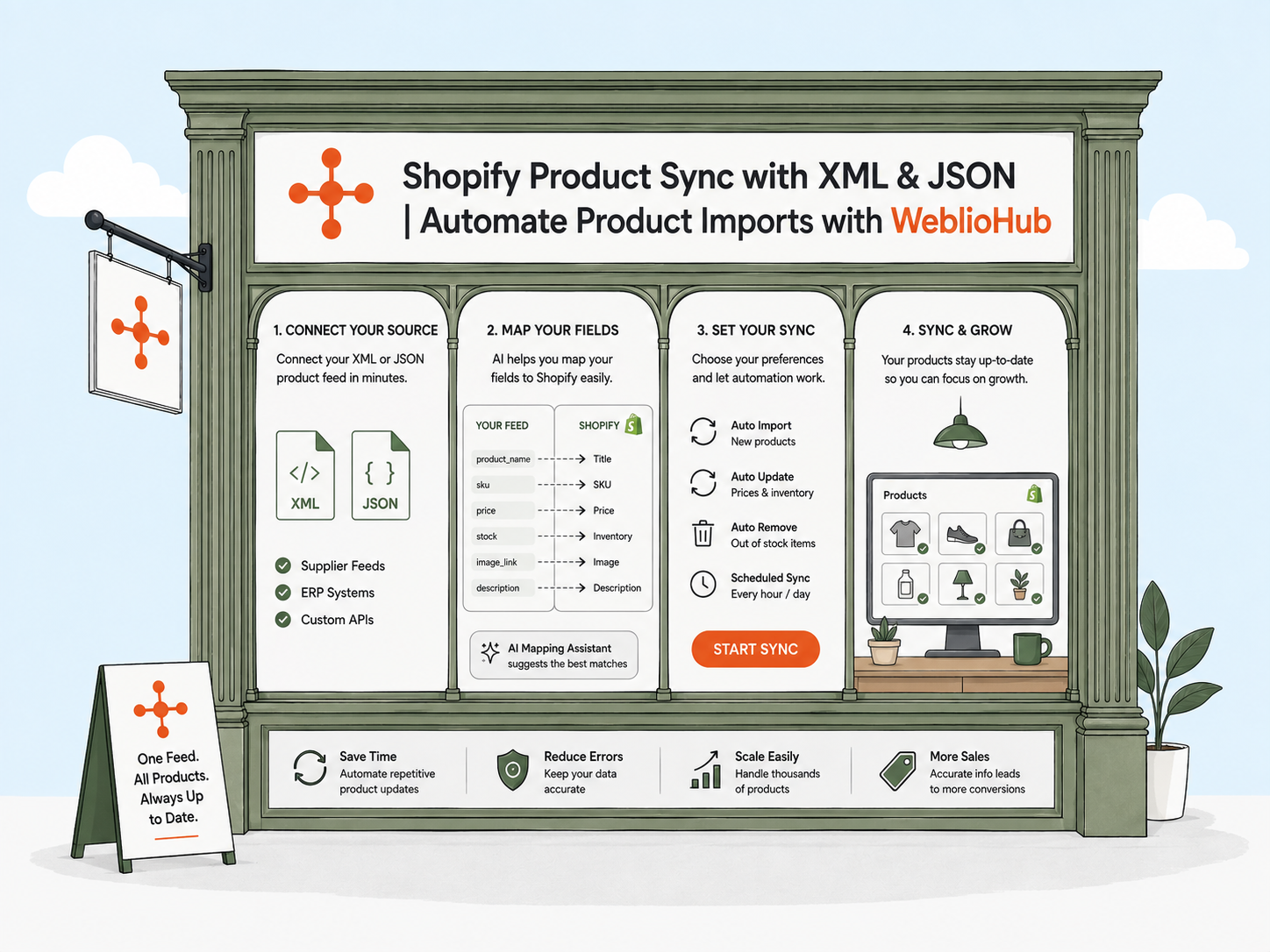
WeblioHub allows Shopify merchants to connect XML or JSON product feeds, intelligently map product fields using AI, and automatically synchronize products with Shopify.
Instead of spending hours importing products manually, WeblioHub keeps your catalog updated automatically.
What Is Shopify Product Sync?
Shopify Product Sync is the process of automatically importing and updating products from an external data source into your Shopify store.
Rather than editing products one by one, WeblioHub connects directly to your supplier’s XML or JSON feed and continuously keeps your store synchronized.
Every time your supplier updates product information, your Shopify catalog can stay up to date automatically.
Why Manual Product Management Doesn’t Scale
Many merchants begin by manually adding products.
This works for a few products.
It doesn’t work for hundreds—or thousands.
Manual management often leads to:
- Outdated prices
- Incorrect stock quantities
- Missing product images
- Duplicate products
- Time-consuming updates
- Human errors
As your business grows, automation becomes essential.
How WeblioHub Makes Product Sync Easy
Unlike traditional import tools that require complex configurations, WeblioHub focuses on simplicity.
The process is designed for both technical and non-technical users.
Step 1
Install WeblioHub from the Shopify App Store.
Step 2
Connect your XML or JSON feed URL.
Step 3
WeblioHub automatically analyzes your feed.
Step 4
AI detects product fields and suggests the best Shopify field mappings.
Step 5
Review the mapping if needed.
Step 6
Start automatic synchronization.
That’s it.
No spreadsheets.
No manual imports.
No repetitive work.
AI-Powered Field Mapping
One of the biggest challenges when importing products is field mapping.
Different suppliers use different field names.
For example:
Supplier A
product_nameSupplier B
titleSupplier C
itemNameAll three represent the Shopify Product Title.
Instead of manually matching every field, WeblioHub AI analyzes your XML or JSON feed and intelligently suggests the correct Shopify fields.
This dramatically reduces setup time while improving accuracy.
Import Products from XML
Many manufacturers and suppliers distribute product catalogs using XML feeds.
WeblioHub supports importing data such as:
- Product Title
- Description
- Price
- Compare-at Price
- SKU
- Barcode
- Vendor
- Images
- Categories
- Variants
- Inventory
- Tags
The XML feed can remain connected for continuous synchronization.
Import Products from JSON
Modern APIs and e-commerce platforms commonly use JSON.
WeblioHub also supports JSON product feeds.
Simply connect the JSON URL and let WeblioHub analyze the structure automatically.
AI detects the available fields and prepares them for synchronization.
Automatic Product Updates
The first import is only the beginning.
WeblioHub continuously checks your connected feed and updates Shopify whenever changes occur.
Automatic synchronization helps maintain:
- Product titles
- Prices
- Images
- Stock availability
- Product descriptions
- Categories
- Variants
Your customers always see the latest product information.
Save Hours Every Week
Imagine updating 5,000 products manually.
Now imagine never doing it again.
Automation allows merchants to spend more time on:
- Marketing
- Customer support
- SEO
- Sales
- Business growth
Instead of repetitive product management.
Built for Shopify Merchants
WeblioHub was designed specifically for Shopify businesses.
Installation is simple through the Shopify App Store.
Once connected, product synchronization happens from an intuitive dashboard without complicated technical setup.
Everything is managed in one place.
More Than Product Import
WeblioHub is much more than a product synchronization tool.
It also includes:
🤖 AI Chatbot
🍪 Cookie Consent & Analytics
📄 Shopify Pages Sync
📩 Contact Forms
⭐ Product Reviews
📧 Newsletter Forms
Instead of installing multiple applications, Shopify merchants can manage everything from one platform.
Why Choose WeblioHub?
WeblioHub combines automation with artificial intelligence to simplify Shopify store management.
Key advantages include:
✅ XML Product Import
✅ JSON Product Import
✅ AI-Powered Field Mapping
✅ Automatic Product Synchronization
✅ Shopify Native Integration
✅ Fast Setup
✅ No Coding Required
✅ Lightweight & Secure
Whether you import 100 products or 100,000, WeblioHub scales with your business.
The Future of Shopify Product Management
Product synchronization shouldn’t require spreadsheets, manual imports, or complex mapping.
With AI-powered automation, Shopify merchants can connect their supplier feeds once and let WeblioHub handle the rest.
Faster updates.
Fewer mistakes.
Better efficiency.
More time to grow your business.
Start Synchronizing Your Products Today
If you’re looking for an easier way to manage Shopify products, WeblioHub provides a complete XML & JSON synchronization solution powered by artificial intelligence.
Connect your feed, let AI map your fields, and keep your Shopify store automatically updated.
Spend less time managing products—and more time growing your business.