Every website needs a simple way for visitors to get in touch.
Whether someone wants to ask a question, request a quote, report an issue, or discuss a potential partnership, a contact form is often the first step in starting a conversation.
However, adding a contact form to a website isn’t always as simple as it sounds.
Traditional contact forms may require backend development, SMTP configuration, email service integrations, server-side scripts, or third-party automation tools.
For website owners who simply want to receive messages, this can create unnecessary complexity.
What if you could add a contact form to your website and receive every submission directly in your email without configuring any of these systems?
That’s exactly what WeblioHub’s Contact Form Widget is designed to do.
With WeblioHub, you can create a customizable contact form, connect it to your website, and automatically receive submitted messages at your preferred email address.
No separate email infrastructure setup. No complicated backend configuration.
Just a simple, customizable contact form that works.
What Is a Contact Form Widget?
A contact form widget is an embeddable website component that allows visitors to send messages directly to a business.
Unlike traditional contact pages that may require custom development, contact form widgets provide a ready-to-use solution.
A typical contact form includes fields such as:
- Full Name
- Email Address
- Phone Number
- Subject
- Message
Visitors complete the form, click the submit button, and their information is delivered to the website owner through the configured submission system.
With WeblioHub, the process becomes even simpler.
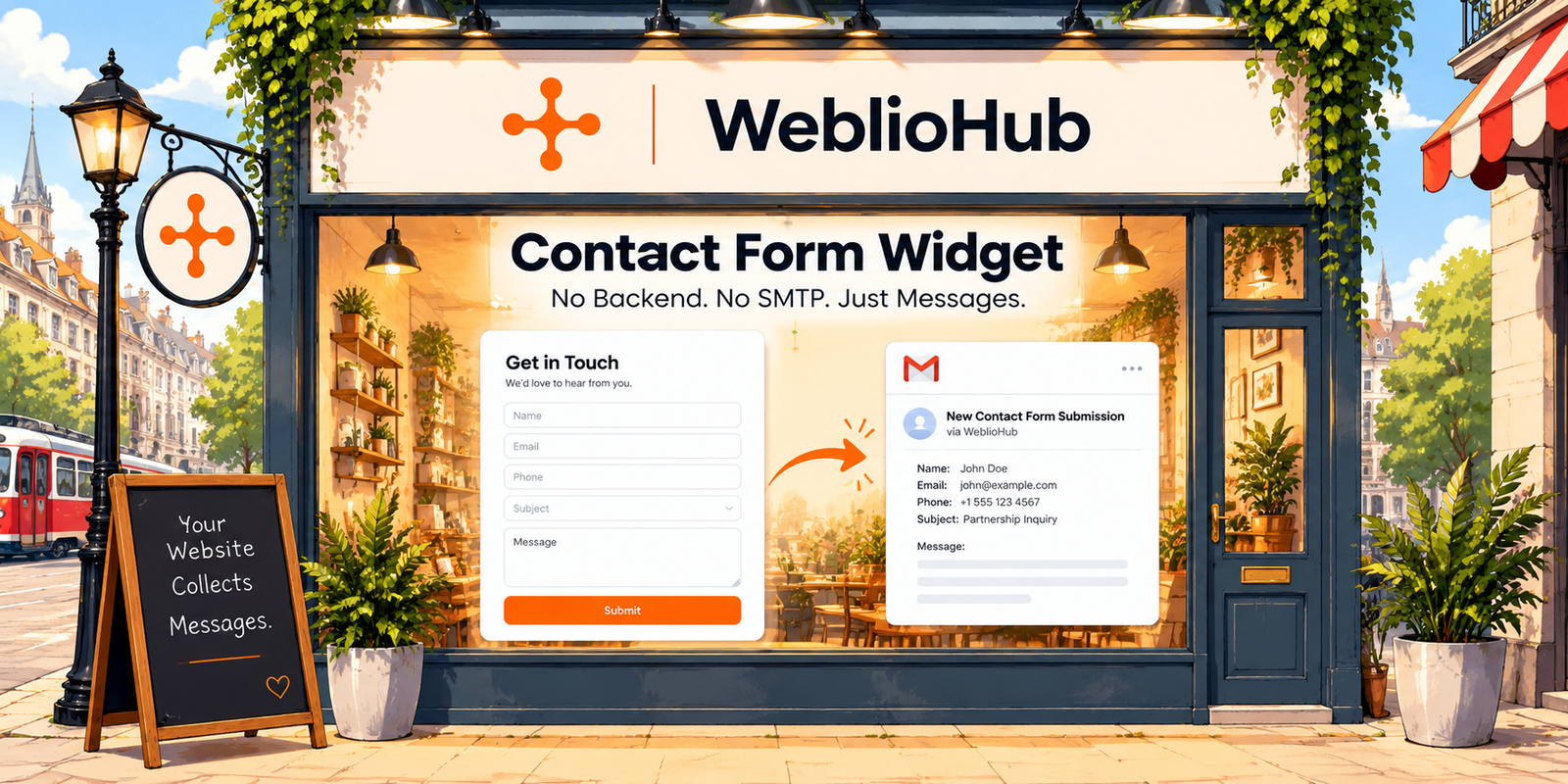
Visitor → Contact Form → WeblioHub → Your Email Inbox
WeblioHub handles the form submission workflow, allowing website owners to focus on responding to customers instead of managing the technical infrastructure behind the form.
Why Traditional Website Contact Forms Can Be Complicated
Creating a contact form using HTML and CSS is relatively straightforward.
The real challenge begins when you want the form to send messages.
An HTML form alone doesn’t automatically deliver emails.
Depending on the implementation, developers may need to configure:
Backend Processing
A server-side application to receive and validate form submissions.
SMTP Configuration
An email delivery configuration to send notifications.
Email Service Integration
An external provider or API to process outgoing messages.
Form Validation
Rules to ensure visitors submit the required information.
Security Measures
Protection against unauthorized requests and misuse.
Email Delivery Management
Handling failed requests, delivery errors, and other operational issues.
For developers, these requirements are manageable.
For business owners, marketers, and small website teams, they can become unnecessary obstacles.
WeblioHub simplifies this process by providing the form widget and email delivery workflow within one platform.
Introducing WeblioHub Contact Form Widget
WeblioHub Contact Form Widget is a customizable website form solution designed to help businesses collect inquiries without building their own form-processing infrastructure.
Instead of configuring multiple services, users can manage their contact form settings directly from the WeblioHub dashboard.
The platform provides control over form appearance, input fields, submission messages, email destinations, and additional configuration options.
Let’s explore the features.
1. Receive Contact Form Submissions Directly in Your Email
This is one of the most important advantages of WeblioHub.
When someone submits your website’s contact form, WeblioHub processes the submission and sends it to your configured email address.
You don’t need to create a custom email-sending backend.
You don’t need to configure your own SMTP server.
You don’t need to connect a separate email automation service.
Simply specify the email address where you want to receive inquiries.
For example:
Recipient Email Address: contact@yourbusiness.com
When a visitor completes your form, the message is sent to that address through WeblioHub.
This makes the solution particularly useful for businesses that want to launch contact forms quickly.
How It Works
Step 1: Create your contact form in WeblioHub.
Step 2: Enter your preferred recipient email address.
Step 3: Customize the form fields and design.
Step 4: Add the widget to your website.
Step 5: Start receiving contact form submissions directly in your inbox.
The result is a functional contact form without having to develop or maintain your own email delivery integration.
2. Fully Customizable Form Fields
Different businesses need different information from their visitors.
A consulting company might want to collect names, email addresses, and project details.
An e-commerce store might need customer names, email addresses, and messages.
A service provider might also need phone numbers.
WeblioHub allows you to configure the available form fields according to your requirements.
Supported fields include:
Full Name: Collect the visitor’s name.
Email: Receive the visitor’s email address.
Phone: Allow visitors to provide a contact number.
Subject: Organize inquiries by topic.
Message: Let visitors explain their questions or requests.
You can control which fields are visible and which are required.
For example, you might configure:
| Field | Visible | Required |
|---|---|---|
| Full Name | Yes | Yes |
| Yes | Yes | |
| Phone | Yes | No |
| Subject | No | No |
| Message | Yes | Yes |
This flexibility allows businesses to create forms that collect relevant information without overwhelming visitors.
A shorter form may be appropriate for general inquiries, while a more detailed form can help qualify business requests.
3. Customize Field Labels and Form Text
A contact form should match the language and communication style of your website.
WeblioHub allows you to customize form field labels instead of forcing you to use fixed text.
For example:
Default label: Full Name
Customized label: Your Name
Default label: Message
Customized label: How Can We Help?
You can also configure the form title, submission button text, loading state, and success message.
For example:
Form Title: Get in Touch
Button Text: Send Message
Submitting Text: Sending Your Message…
Success Message: Thank you! Your message has been sent successfully. We’ll get back to you soon.
These details help create a consistent experience that feels like a natural part of your website.
4. Customize Your Contact Form Design
Your contact form shouldn’t look disconnected from the rest of your website.
WeblioHub provides visual customization options so businesses can adapt the widget to their brand identity.
Available settings include:
Primary Color
Adjust the main color used in the form.
Background Color
Match the form background to your website design.
Button Color
Customize the submission button to align with your brand.
Input Border Color
Control the appearance of form field borders.
These settings allow website owners to create a more cohesive visual experience.
For example, a modern SaaS website might prefer a minimal white form with dark borders and a bright accent button.
An e-commerce store might use its existing brand colors.
The objective is simple: Make your contact form feel like part of your website, not an unrelated third-party component.
5. Advanced Customization with Custom CSS
Some businesses need more control than standard color settings.
WeblioHub supports custom CSS for additional styling.
This allows developers and designers to further customize the contact form’s appearance.
Custom CSS can be useful when implementing a specific design system or matching an existing website layout.
For businesses with established branding, this provides additional flexibility without requiring them to rebuild the form functionality.
6. GDPR and KVKK Information Text
Privacy transparency is an important consideration when collecting personal information.
Contact forms often collect data such as names, email addresses, phone numbers, and message content.
WeblioHub includes an optional GDPR/KVKK text field that allows website owners to display information about personal data processing.
For example:
“Your personal data will be processed to respond to your inquiry. Please review our Privacy Policy for more information.”
Businesses can customize this text according to their privacy policies and applicable legal requirements.
This helps website owners communicate how submitted information will be used.
Important: Adding privacy text alone does not guarantee GDPR or KVKK compliance. Businesses remain responsible for providing appropriate privacy notices, establishing a lawful basis for processing, and meeting other applicable obligations.
7. Allowed Domains for Additional Control
WeblioHub also includes an Allowed Domains configuration.
This feature allows website owners to specify which domains are permitted to use their contact form widget.
For example, a business may want the form to operate only on:
yourbusiness.com
or:
store.yourbusiness.com
By configuring allowed domains, businesses can restrict where their widget is intended to function.
This is particularly useful for companies managing multiple websites or limiting widget usage to approved domains.
Domain restrictions should be considered an additional configuration control rather than a replacement for server-side validation and security protections.
8. Enable or Disable Your Contact Form Anytime
Sometimes businesses need to temporarily disable contact submissions.
For example, a company may be updating its website or changing its communication process.
WeblioHub includes a Form Active setting that allows users to enable or disable the contact form from the dashboard.
This gives website owners control over whether the widget is currently accepting submissions.
9. Optional WeblioHub Branding Control
Businesses often want embedded widgets to match their own branding.
WeblioHub includes a Hide Copyright option that allows users to control the visibility of WeblioHub branding within the widget.
This provides additional flexibility for websites that prefer a more integrated visual presentation.
Why Use a Contact Form Without Backend Development?
A contact form without custom backend development can offer several practical advantages.
Faster Website Setup
You can focus on configuring the form instead of building server-side processing functionality.
Reduced Technical Complexity
There is no need to independently implement an email delivery workflow.
Easier Maintenance
You don’t need to maintain a separate custom form backend.
Centralized Configuration
Form settings, field requirements, design options, and recipient email configuration can be managed through WeblioHub.
Suitable for Different Website Types
A contact form widget can support websites ranging from small business pages to e-commerce stores and SaaS platforms.
For many businesses, the main requirement is simply to provide visitors with a reliable way to make contact.
WeblioHub is designed to simplify that workflow.
Contact Form Widget for Shopify Stores
Shopify merchants frequently receive questions about products, orders, shipping, returns, and business partnerships.
A contact form provides another communication channel for customers who prefer sending a written inquiry instead of starting a live conversation.
With WeblioHub, Shopify store owners can configure a contact form and direct submissions to their preferred email inbox.
For example, a customer might ask:
“Do you ship internationally?”
Another visitor might submit:
“I’d like to discuss a wholesale partnership.”
A contact form makes it easy to collect these inquiries through a structured interface.
For growing e-commerce businesses, this can complement other customer engagement tools such as AI chatbots and messaging systems.
Contact Form Widget vs. Traditional HTML Contact Form
What makes a managed contact form widget different from a traditional HTML implementation?
| Feature | Traditional HTML Form | WeblioHub Contact Form |
|---|---|---|
| Form interface | Custom development | Ready-to-configure widget |
| Email delivery | Requires additional implementation | Handled through WeblioHub |
| SMTP configuration | May be required | No user-side SMTP setup |
| Backend development | Usually required for processing | No custom backend required |
| Field configuration | Code changes may be needed | Dashboard settings |
| Color customization | CSS development | Built-in settings |
| Custom CSS | Supported | Supported |
| Recipient email | Backend configuration | Dashboard setting |
| Success messages | Custom implementation | Configurable |
| Domain restrictions | Custom implementation | Built-in configuration |
A traditional HTML form offers extensive development flexibility.
However, a managed widget can be a better fit when speed, simplicity, and centralized management are priorities.
Combine Contact Forms with AI Chatbots
Contact forms are useful, but they are only one part of customer communication.
Some visitors want to send a message.
Others want an immediate answer.
Some may want to schedule a meeting.
This is where combining different website engagement tools becomes valuable.
WeblioHub offers multiple solutions that can work together as part of a broader customer engagement strategy.
AI Chatbot
Help visitors find answers to common questions.
Contact Form
Collect structured inquiries and deliver them to your email.
AI Meeting Scheduling
Allow visitors to book meetings through supported chatbot workflows.
Telegram AI Chatbot
Manage customer conversations through Telegram with AI-assisted responses.
AI Conversation Summaries & Tasks
Summarize conversations and organize follow-up activities.
Together, these capabilities can help businesses build a more flexible communication experience.
Instead of relying on a single contact method, websites can provide different interaction options based on visitor needs.
Who Should Use WeblioHub Contact Form Widget?
WeblioHub Contact Form Widget can be useful for a wide range of websites.
Small Business Websites
Receive customer questions and service inquiries without building custom form infrastructure.
Shopify and E-Commerce Stores
Collect customer inquiries, product questions, and partnership requests.
SaaS Companies
Provide an accessible way for visitors to request information or contact the team.
Agencies and Freelancers
Collect project inquiries from potential clients.
Corporate Websites
Create a structured communication channel for general business inquiries.
Landing Pages
Capture inquiries from visitors interested in a product or service.
Regardless of the website type, the objective remains the same.
Make it easier for visitors to contact your business.
How to Add a Contact Form to Your Website with WeblioHub
Getting started with WeblioHub Contact Form Widget follows a straightforward process.
Step 1: Open WeblioHub
Access your WeblioHub dashboard and navigate to the Contact Form settings.
Step 2: Configure Your Form
Choose the fields you want to display and determine which ones are required.
Step 3: Enter Your Recipient Email
Specify the email address where you want to receive form submissions.
Step 4: Customize the Design
Adjust the form title, button text, colors, labels, and success message.
Step 5: Configure Additional Settings
Add privacy information, allowed domains, or custom CSS if needed.
Step 6: Add the Widget to Your Website
Integrate the configured contact form widget into your website using the installation method provided by WeblioHub.
Step 7: Start Receiving Messages
Once the widget is active and correctly installed, submitted messages can be delivered to your configured email address through WeblioHub.
No custom SMTP integration. No separate form-processing backend. Just a simple way to receive website inquiries.
Turn Website Visitors into Business Conversations
Every website visitor represents a potential opportunity.
Someone might have a question about your product.
Someone else might want to request a quote.
Another visitor could be interested in a partnership.
Without a convenient contact method, those opportunities may be lost.
A well-designed contact form makes communication easier.
And when the technical complexity of form processing is removed, businesses can spend more time responding to inquiries instead of managing infrastructure.
With WeblioHub Contact Form Widget, businesses can create customizable contact forms, control their appearance, manage field requirements, and receive submissions directly in their preferred email inbox.
Your website collects the message. WeblioHub handles the delivery. You focus on the conversation.
Explore WeblioHub and discover a simpler way to connect with your website visitors.
Smarter Websites. Stronger Businesses.
Frequently Asked Questions (FAQ)
What is a contact form widget?
A contact form widget is an embeddable website component that allows visitors to submit messages and inquiries through a structured form.
Can I add a contact form to my website without coding?
Yes. Solutions such as WeblioHub provide configurable contact form widgets that reduce the need for custom form development. Installation requirements depend on your website platform.
Do I need SMTP to use WeblioHub Contact Form?
No. WeblioHub handles the form submission email workflow, so you don’t need to configure your own SMTP integration.
Can contact form submissions be sent directly to my email?
Yes. WeblioHub allows you to configure a recipient email address where submitted form messages will be delivered.
Can I customize my contact form?
Yes. WeblioHub provides customization options for form fields, required inputs, labels, colors, button text, success messages, and custom CSS.
Can I use a contact form on Shopify?
WeblioHub’s contact form functionality can be used for Shopify-related website communication workflows, subject to the supported installation method.
Can I choose which fields are required?
Yes. You can configure the visibility and required status of supported fields such as name, email, phone, subject, and message.
Does WeblioHub Contact Form support GDPR and KVKK information?
WeblioHub includes an optional privacy information text field that can be customized according to your website’s requirements. Legal compliance depends on your overall data processing practices.
Can I restrict my contact form to specific domains?
Yes. WeblioHub includes an Allowed Domains setting that lets you specify approved domains for widget usage.
Is WeblioHub Contact Form suitable for business websites?
Yes. It is designed for businesses that want a customizable contact form and email delivery workflow without developing their own form-processing infrastructure.