Customers don’t always contact businesses during working hours.
A potential customer might ask about your product late at night. An existing customer may need help during the weekend. International customers may contact your business from completely different time zones.
For businesses using Telegram as a communication channel, this creates a simple challenge:
How do you provide fast Telegram support without having someone online 24/7?
One solution is AI.
With a Telegram AI customer support bot, incoming customer messages can be answered automatically while your team retains the ability to step into conversations whenever human assistance is required.
And building one doesn’t necessarily require developing your own backend, integrating multiple AI APIs, or writing complex Telegram Bot API code.
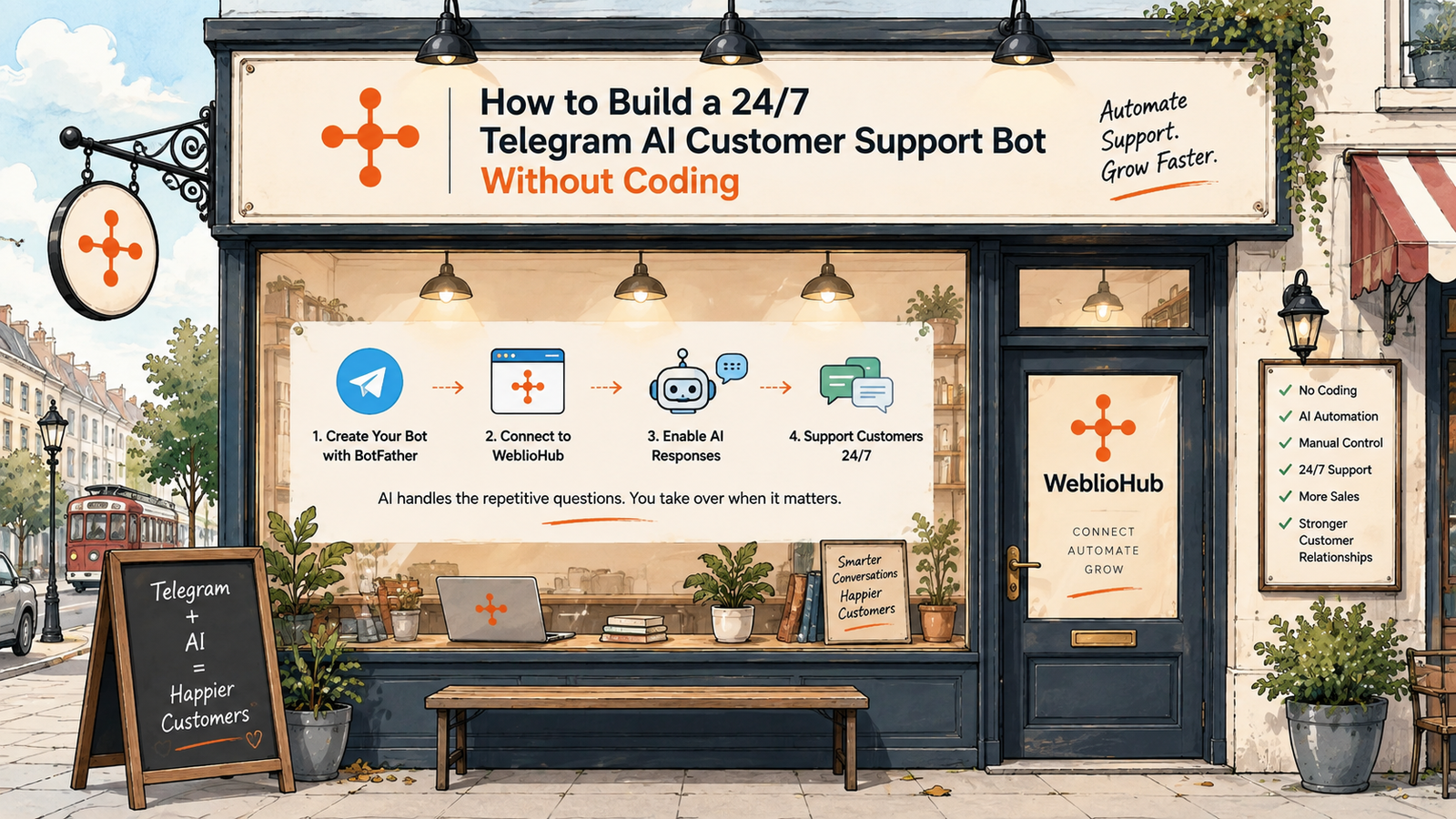
With WeblioHub, you can create your Telegram bot through BotFather, connect it to your WeblioHub dashboard, enable AI-powered responses, and start automating customer conversations.
Here’s how it works.
What Is a Telegram AI Customer Support Bot?
A Telegram AI customer support bot is a Telegram bot that uses artificial intelligence to understand incoming messages and generate appropriate responses.
This is different from a traditional Telegram bot.
Traditional bots often rely on predefined commands such as:
/start/help/pricing/contact
They can be useful for predictable workflows, but real customer conversations rarely follow a fixed menu.
A customer is much more likely to write:
“Hi, which plan would be best for a small online store?”
Or:
“Do you support Shopify?”
Or:
“Can someone explain how this feature works?”
An AI-powered Telegram bot can handle these conversations more naturally because it isn’t limited to a predefined command structure.
Why Combine Telegram with AI?
Telegram gives businesses a direct communication channel.
AI gives that channel automation.
Combining them creates a support system capable of handling common conversations without requiring your team to manually answer every message.
This can help businesses provide:
Faster responses — Customers don’t need to wait for an available support agent.
24/7 availability — AI can continue responding outside normal business hours.
Scalable support — Increasing message volume doesn’t necessarily mean every conversation requires another human agent.
Consistent answers — Frequently asked questions can be handled more consistently.
But there’s another requirement that’s equally important:
Human control.
And that’s where the WeblioHub approach becomes particularly useful.
AI When Possible. Human When Needed.
Customer support shouldn’t be an all-or-nothing decision between AI and humans.
Some questions are ideal for automation.
For example:
“What services do you provide?”
“Do you support Shopify?”
“How can I get started?”
“Where can I find pricing?”
Other conversations require human judgment.
For example:
“I have a problem specific to my account.”
“Can you prepare a custom solution for our company?”
“I need to speak with someone about a partnership.”
A practical AI support system should therefore allow both.
With WeblioHub, AI can automatically handle incoming Telegram messages while your team can view conversations and reply manually from the dashboard whenever necessary.
The workflow becomes:
Customer → Telegram → WeblioHub → AI Response
And when human intervention is required:
Customer → Telegram → WeblioHub → Human Response
You maintain control of the conversation.
How to Build a Telegram AI Bot Without Coding
Traditionally, building this type of system could require several components:
Telegram Bot API integration, webhook infrastructure, backend development, AI API integration, conversation management, message processing, database infrastructure, and an administration interface.
For a business that simply wants to automate Telegram customer support, that’s unnecessary complexity.
WeblioHub simplifies the process considerably.
Step 1: Create Your Telegram Bot with BotFather
The first step is creating the Telegram bot itself.
Telegram provides BotFather for creating and configuring Telegram bots.
You create your bot, choose its identity, and obtain the credentials needed to connect it to another platform.
At this stage, you have a Telegram bot.
But it isn’t yet your AI customer support assistant.
That’s where WeblioHub comes in.
Step 2: Connect Your Bot to WeblioHub
After creating your Telegram bot, connect it to your WeblioHub account using the required BotFather credentials.
This establishes the connection between:
Telegram ↔ WeblioHub
Incoming conversations can then be handled through the WeblioHub environment.
Instead of building your own message management infrastructure, your Telegram conversations become accessible through the WeblioHub dashboard.
Step 3: Enable AI-Powered Responses
Once your bot is connected, AI can handle incoming customer messages.
When someone contacts your Telegram bot, the message flows into WeblioHub.
AI processes the message and can generate an appropriate response.
The process happens automatically:
Customer sends message
↓
Telegram Bot receives message
↓
WeblioHub processes conversation
↓
AI generates response
↓
Customer receives answer
This turns a basic Telegram bot into an always-available customer communication channel.
Step 4: Monitor Conversations from Your Dashboard
Automation shouldn’t mean losing visibility.
Incoming Telegram conversations can be managed through the WeblioHub dashboard.
Your team can see customer messages and follow conversations rather than leaving the entire communication process inside an invisible automation.
This becomes increasingly important as your Telegram audience grows.
You gain both:
Automation + Visibility
Step 5: Reply Manually Whenever Necessary
This is one of the most important parts of the system.
AI doesn’t have to handle every conversation.
When you see a message that requires human attention, you can respond yourself.
This creates a hybrid support model:
AI handles repetitive conversations.
Your team handles conversations that require human judgment.
The result is not an AI system designed to replace customer support.
It’s an AI system designed to make customer support more efficient.
How Does 24/7 Telegram Customer Support Work?
Consider a customer sending your business a Telegram message at 2:00 AM.
Without automation:
Customer sends message → waits until your team returns.
With AI automation:
Customer sends message → AI responds immediately.
The customer can receive information without waiting until the next business day.
When your team returns, conversations requiring additional assistance can still be handled manually.
This is particularly valuable for businesses operating internationally.
Your business might be located in Europe while customers contact you from North America, Asia, or the Middle East.
AI reduces the dependency between customer support and local working hours.
What Can a Telegram AI Bot Handle?
The exact use cases depend on your business, but Telegram AI support can be useful for many repetitive customer interactions.
For an e-commerce business, customers might ask about:
Product information
“Can you tell me more about this product?”
Availability
“Is this item currently available?”
Shipping
“How long does delivery take?”
Returns
“What is your return policy?”
For a SaaS company:
Features
“Does your platform support Shopify?”
Getting started
“How do I create an account?”
Product questions
“What can your AI chatbot do?”
Pricing questions
“Which plan should I choose?”
For service businesses:
Services
“What services do you offer?”
Availability
“When can I contact your team?”
General inquiries
“Can you explain how your service works?”
These are precisely the types of repetitive questions where AI automation can reduce support workload.
Telegram AI Chatbot for E-commerce
Telegram can also become particularly useful for e-commerce customer communication.
Customers often ask similar questions before making a purchase:
Is this available?
What does this product do?
How much is shipping?
Do you ship internationally?
What is your return policy?
Fast answers can make the purchasing process easier.
This is especially relevant for Shopify merchants using WeblioHub because customer communication can become part of a broader automation strategy.
For example, a business might use WeblioHub for:
Shopify Product Sync to automate XML and JSON product catalog management.
AI Website Chatbot to assist website visitors.
Telegram AI Chatbot to assist Telegram customers.
Cookie Consent & Analytics to manage consent and understand website activity.
Instead of viewing each feature independently, they become different parts of the same commerce automation ecosystem.
Telegram AI Support vs Traditional Live Support
Traditional customer support depends heavily on agent availability.
AI changes that operating model.
| Traditional Support | Telegram AI + Human Support |
|---|---|
| Depends on working hours | AI available 24/7 |
| Every message requires attention | Routine questions can be automated |
| Response delays are possible | Immediate AI responses |
| Scaling requires more support capacity | AI handles repetitive volume |
| Human conversations | AI + human conversations |
| Manual-first | Automation-first with human control |
This doesn’t mean every customer interaction should be automated.
The objective is to determine which conversations actually need a human.
Why Human Takeover Still Matters
AI is excellent for scale and speed.
Humans remain important for context, negotiation, complex problems, unusual situations, and relationship building.
Imagine a customer starts with:
“What does your platform do?”
AI answers.
Then:
“Does it integrate with Shopify?”
AI answers.
Then:
“We’re managing 80,000 products across several suppliers. Could your team help us design a custom workflow?”
That’s a very different conversation.
At this point, human intervention makes sense.
With WeblioHub, the objective is to let automation handle the beginning of the conversation without preventing your team from taking control later.
Who Should Use a Telegram AI Customer Support Bot?
The model is particularly relevant for businesses that already communicate with customers through Telegram or plan to build a Telegram community.
Examples include e-commerce stores, SaaS companies, online communities, agencies, digital services, international businesses, startups and customer support teams.
The business case becomes stronger as message volume increases.
If you receive five Telegram messages each month, extensive automation may not be particularly valuable.
If you receive hundreds or thousands, the economics change significantly.
Do I Need Programming Experience?
No custom AI or Telegram integration development is required for the standard WeblioHub workflow.
You create your bot through Telegram BotFather and connect it to WeblioHub.
WeblioHub provides the environment for AI responses and conversation management.
This means businesses can implement Telegram AI support without building their own complete messaging infrastructure.
One Dashboard, Two Ways to Respond
The core idea behind WeblioHub’s Telegram integration can be summarized very simply:
AI Response
Use AI to automatically answer incoming messages and repetitive questions.
Human Response
Open the conversation in your WeblioHub dashboard and reply yourself whenever the situation requires it.
You aren’t locked into one mode.
That flexibility is important because effective customer support requires both automation and control.
Build Your 24/7 Telegram Support Channel with WeblioHub
Providing faster customer support shouldn’t necessarily require expanding your support team every time message volume grows.
And adding AI to Telegram shouldn’t require building an entire chatbot infrastructure from scratch.
With WeblioHub, the workflow is straightforward:
Create your Telegram bot with BotFather.
Connect it to WeblioHub.
Enable AI-powered conversations.
Let AI answer incoming messages.
Monitor conversations from your dashboard.
Reply manually whenever customers need you.
The result is a Telegram customer support channel that can remain available around the clock while keeping your team in control.
AI when possible. Human when needed. Available 24/7.
FAQ
Can I connect an existing Telegram bot to WeblioHub?
If you’ve created your Telegram bot through BotFather, you can use the required bot credentials to connect it to WeblioHub.
Can AI automatically answer Telegram messages?
Yes. WeblioHub’s Telegram integration is designed to allow AI to automatically respond to incoming conversations.
Can I answer Telegram customers manually?
Yes. You can view conversations from the WeblioHub dashboard and reply manually when needed.
Does my team need to be online 24/7?
AI can handle supported automated conversations while your team is offline, helping provide a 24/7 first-response layer.
Do I need to code a Telegram bot?
You still create the Telegram bot through BotFather, but the WeblioHub workflow removes the need to build the AI conversation and management infrastructure yourself.
Is a Telegram AI chatbot useful for e-commerce?
Yes. It can be particularly useful for repetitive pre-sale and customer support questions, while complex conversations can be handled manually.